
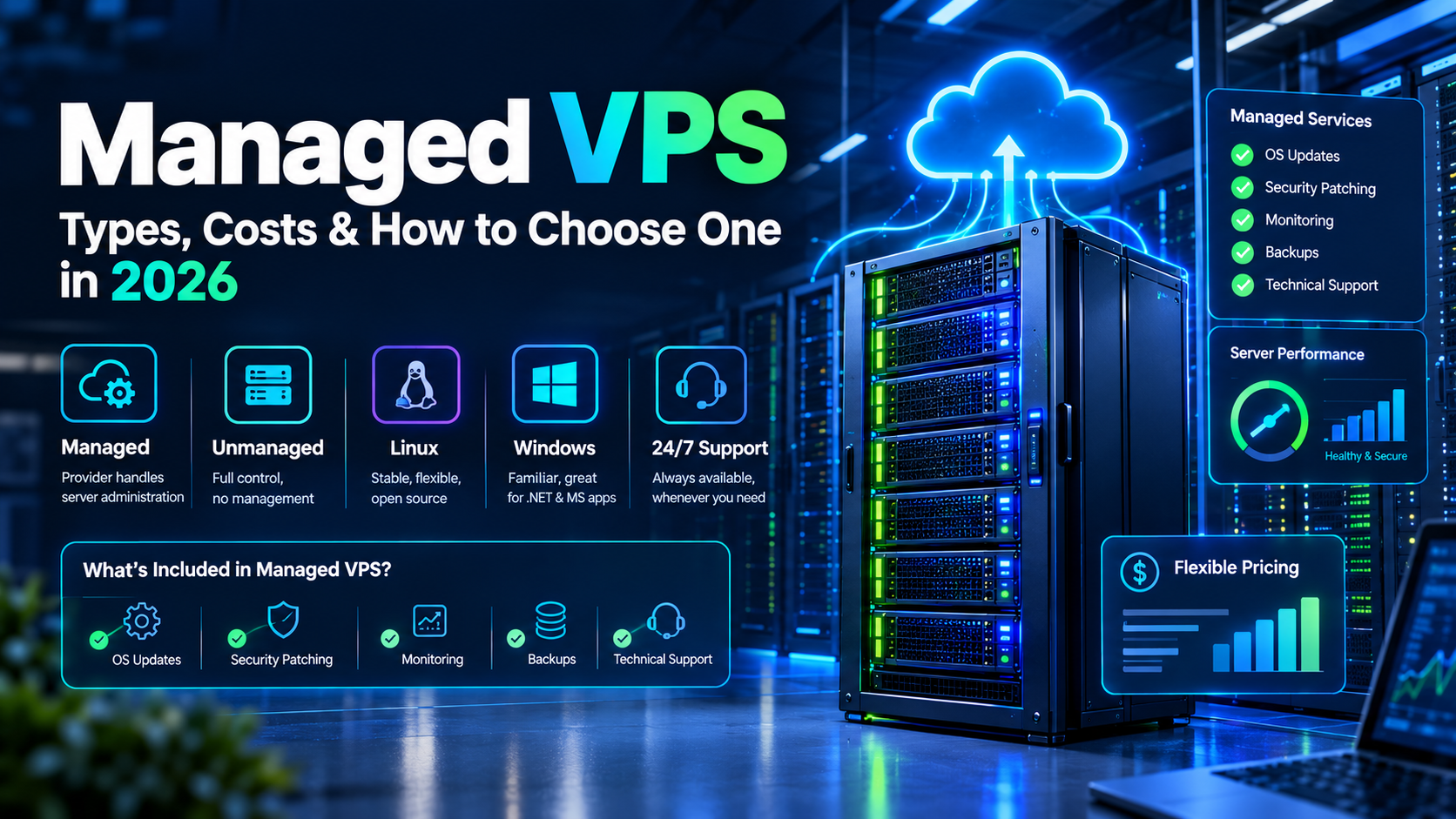
If you’re wondering what Managed VPS is, the simplest explanation is that Managed VPS is a Virtual Private Server where the hosting provider handles many of the technical tasks required to operate and maintain the server.
What Is Managed VPS?
A Managed VPS is a Virtual Private Server where the hosting provider manages many of the technical tasks required to operate the server. Instead of handling every update, configuration, security setting, backup, and troubleshooting task yourself, you can receive technical assistance from the hosting provider.
In simple terms, Managed VPS hosting combines the flexibility and resources of VPS hosting with professional server management. Therefore, it can be useful for businesses, developers, agencies, and website owners who need more control than shared hosting but do not want to manage every server administration task themselves.
A VPS creates an isolated virtual environment on a physical server. As a result, users can generally receive their own virtual CPU, RAM, storage, operating system, and other resources according to their selected plan.
However, management services vary between providers. For example, one provider may include security updates and monitoring, while another may also provide backups, migration assistance, optimization, and troubleshooting.
For this reason, always check the exact management features included with a plan before purchasing.
How Does Managed VPS Hosting Work?
Managed VPS hosting works by creating a virtual server environment on a physical server. The virtualization technology separates different VPS environments so that each customer can operate their own server environment.
At the same time, the hosting provider manages selected technical responsibilities. Consequently, customers can focus more on their websites, applications, and business operations.
How Resources Are Allocated
A Managed VPS plan usually includes a specific amount of CPU, RAM, storage, and bandwidth.
For example, a plan may include:
- Virtual CPU cores
- RAM
- SSD or NVMe storage
- Monthly bandwidth
- An operating system
- Backup options
- Server monitoring
- Technical support
However, resource allocation can vary by provider. Therefore, review the plan specifications carefully before selecting a server.
How Server Management Works
Depending on the provider, management may include:
- Operating system updates
- Security patches
- Server monitoring
- Basic troubleshooting
- Backup management
- Server configuration
- Control panel support
- Technical assistance
Moreover, some providers offer different management levels. As a result, you should confirm whether the provider manages only the server or also assists with application-level problems.
Why Choose Managed VPS Hosting?
Managed VPS hosting can be useful when a website has outgrown shared hosting but the owner does not want to handle all server administration independently.
For example, a growing business may need more CPU and RAM while also requiring technical support. In addition, regular server maintenance can take valuable time.
Furthermore, Managed VPS can provide a balance between control and convenience. You can get a more configurable hosting environment while receiving assistance with selected technical tasks.
Therefore, it can be considered by businesses, developers, agencies, and website owners with growing hosting requirements.
Managed VPS vs. Unmanaged VPS: What Is the Difference?
The main difference between Managed VPS and Unmanaged VPS is the amount of server administration handled by the hosting provider.
With an unmanaged server, customers generally handle most configuration, updates, security, and troubleshooting themselves. Consequently, more technical knowledge may be required.
In contrast, Managed VPS hosting includes provider assistance with selected server management tasks. Therefore, it can reduce some of the routine administration work.
|
Feature |
Managed VPS |
Unmanaged VPS |
|
Server management |
Provider handles selected tasks |
Customer handles most tasks |
|
Technical support |
Usually available |
Often more limited |
|
Updates |
May be provider-managed |
Usually customer-managed |
|
Security assistance |
Often available |
Usually customer-managed |
|
Cost |
Usually higher |
Usually lower |
|
Technical knowledge |
Less required |
More required |
|
Server control |
High |
High |
Therefore, users with strong server administration skills may prefer unmanaged hosting, while users who want technical assistance may consider Managed VPS.
What Is an Unmanaged VPS?
An unmanaged VPS gives the customer greater responsibility for server administration.
For example, you may need to handle:
- Operating system updates
- Software installation
- Security configuration
- Firewall configuration
- Server monitoring
- Backups
- Troubleshooting
Consequently, an unmanaged VPS generally requires more technical knowledge.
What Does Managed VPS Include?
A Managed VPS may include:
- Server monitoring
- Operating system updates
- Security assistance
- Backup management
- Technical support
- Server configuration
- Troubleshooting
Nevertheless, the exact services depend on the provider. Therefore, always review the management policy before purchasing.
Which Server Management Option Do You Need?
Consider Managed VPS if you want technical assistance with server administration.
On the other hand, an unmanaged VPS may be suitable if you have the technical knowledge and want greater responsibility over server configuration.
Managed VPS vs. Shared Hosting: What Is the Difference?
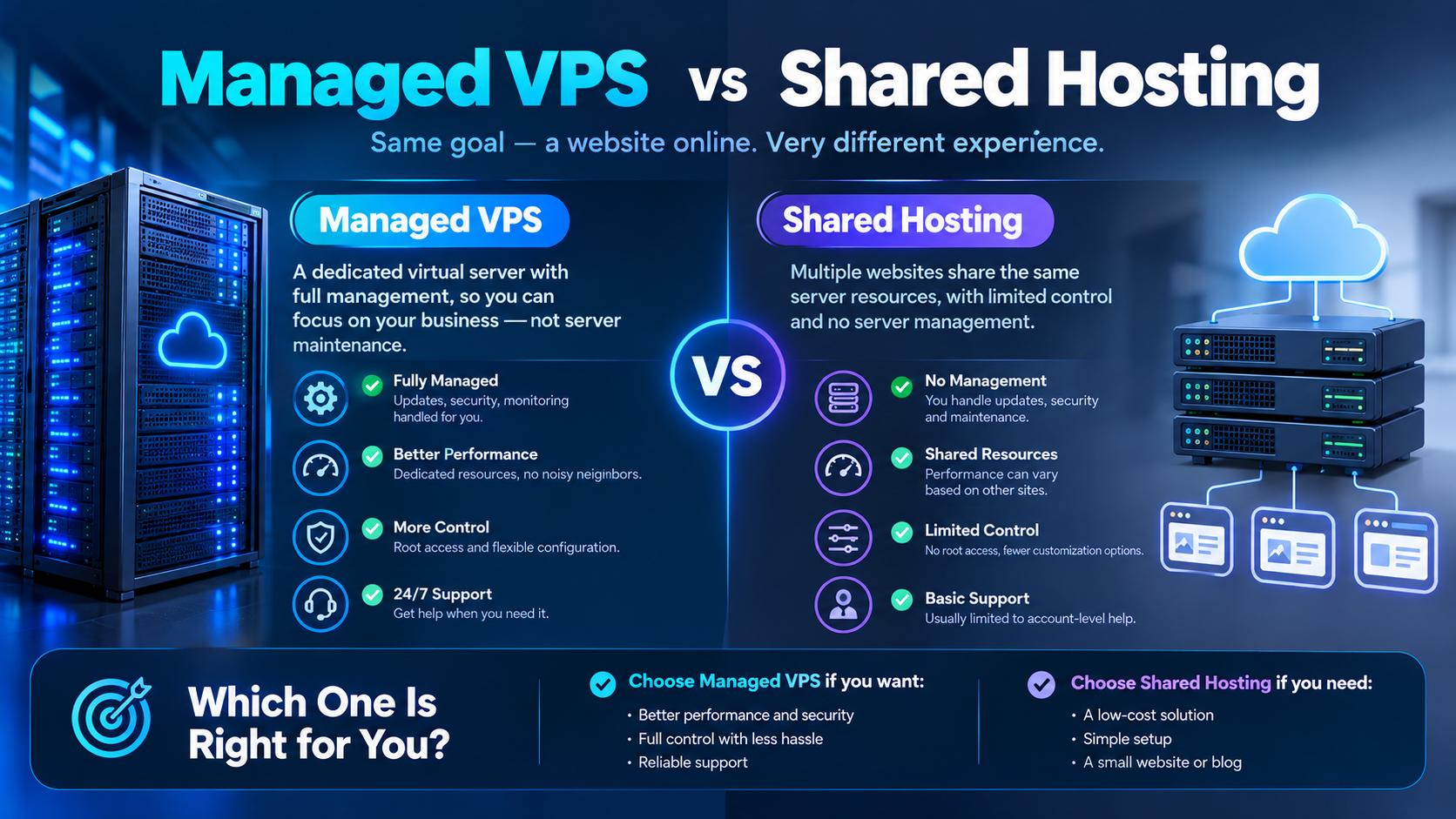
Shared hosting places multiple websites within a shared hosting environment. In contrast, VPS hosting provides an individual virtual server environment.
Managed VPS generally provides more control and configurable resources than basic shared hosting. As a result, it may be useful for websites that have started to outgrow shared hosting.
How Shared Hosting Works
In shared hosting, multiple customers use resources from the same hosting environment.
Therefore, it is often suitable for:
- Small websites
- Personal blogs
- New websites
- Low-traffic business websites
How Managed VPS Hosting Works
Managed VPS provides a separate virtual server environment with allocated or provisioned resources according to the hosting plan.
As a result, it can offer more control and flexibility than basic shared hosting.
Which Hosting Option Is Suitable for Your Website?
If your website has simple requirements, shared hosting may be sufficient.
However, if you need more resources, control, scalability, or server management assistance, Managed VPS may be worth considering.
For example, an online store with increasing traffic may eventually need more resources than a basic shared hosting plan provides.
What Are the Different Types of Managed VPS?
Managed VPS hosting can be available in different configurations depending on the operating system, application, and workload.
Managed Linux VPS
A Managed Linux VPS uses a Linux-based operating system such as Ubuntu, Debian, AlmaLinux, or another supported distribution.
Linux VPS hosting is commonly used for:
- WordPress
- PHP applications
- MySQL databases
- Web applications
- APIs
- Development environments
Moreover, Linux provides a flexible environment for developers and system administrators.
Managed Windows VPS
A Managed Windows VPS uses a Windows Server operating system.
It can be useful for applications that require Windows-specific software or Microsoft technologies.
However, Windows VPS pricing and resource requirements may differ from Linux VPS hosting.
Managed WordPress VPS
A Managed WordPress VPS is designed for WordPress websites that need more resources and control than traditional shared hosting.
It may include:
- WordPress installation
- Server optimization
- Security assistance
- Backups
- Monitoring
- Technical support
Therefore, it can be considered for growing WordPress websites.
Managed VPS for eCommerce Websites
eCommerce websites can require additional CPU, RAM, database performance, storage, security, and scalability.
Consequently, a Managed VPS can be considered when an online store has outgrown basic hosting.
Before selecting a plan, consider product count, traffic, database size, payment integrations, and expected growth. In addition, review the provider’s backup and security policies.
How Much Does Managed VPS Cost?
The cost of Managed VPS hosting depends on several factors, including CPU, RAM, storage, bandwidth, operating system, management services, backups, and support.
Basic plans may cost a few tens of dollars per month, while higher-resource configurations can cost considerably more.
However, price alone should not determine your choice. Instead, compare the included resources and management services.
What Factors Affect Managed VPS Pricing?
Several factors influence Managed VPS pricing.
Managed VPS CPU Resources
CPU resources determine the processing capacity available to your applications.
For example, a basic website may require fewer CPU cores, while a busy application may require additional processing power.
Therefore, choose CPU resources according to your actual workload.
Managed VPS RAM
RAM affects how many processes and applications can run efficiently.
A website with a large database or multiple applications may require more memory. Consequently, monitoring RAM usage can help you identify whether an upgrade is necessary.
Managed VPS Storage
Storage determines how much data you can keep on the server.
SSD and NVMe storage can provide fast data access. However, available storage types and performance vary by provider.
For this reason, compare both capacity and storage technology.
Managed VPS Bandwidth
Bandwidth determines how much data can be transferred between your server and visitors.
Therefore, websites with high traffic, large files, downloads, or media content may require more bandwidth.
Managed VPS Backups
Backups are another important factor.
Some providers include automated backups, while others may charge separately for backup storage or additional backup frequency.
Therefore, check the backup frequency, retention period, and restoration process before purchasing.
Managed VPS Management Services
The level of management can significantly affect pricing.
For example, a basic managed plan may include updates and monitoring, while a more comprehensive plan may include migration, troubleshooting, optimization, and security assistance.
As a result, compare management features instead of comparing monthly prices alone.
Managed VPS Monthly vs. Annual Pricing
Managed VPS providers may offer monthly, quarterly, or annual billing.
Monthly billing provides flexibility. However, longer billing periods may sometimes have a lower effective monthly cost.
Therefore, compare the total cost before selecting a billing period.
Also check:
- Setup fees
- Renewal prices
- Backup charges
- Control panel costs
- Migration fees
- Additional IP costs
- Support limitations
In addition, check whether promotional pricing applies only to the initial billing period.
What Are the Benefits of Managed VPS Hosting?
Managed VPS hosting provides several benefits for users who want more control without handling every technical server task themselves.
Saves Server Management Time
Server administration can require regular updates, monitoring, configuration, and troubleshooting.
With Managed VPS hosting, the provider may handle many of these responsibilities.
As a result, you can spend more time focusing on your website or business. Moreover, routine technical tasks can be reduced when they are covered by the provider.
Provides Greater Control
Compared with shared hosting, VPS hosting generally provides greater control over the server environment.
Depending on the provider and plan, you may also receive root or administrative access.
Therefore, developers can configure their environment according to application requirements.
Offers Scalable Resources
Many VPS plans allow customers to upgrade CPU, RAM, storage, or bandwidth when their requirements increase.
Consequently, Managed VPS can provide a practical hosting path for growing websites.
Can Simplify Server Security
Server security requires regular updates, monitoring, configuration, access controls, and backups.
A Managed VPS provider may assist with some of these responsibilities. However, management does not automatically guarantee complete security.
Therefore, website owners should also follow good application and account security practices.
Provides Technical Support
Technical support can be particularly useful when server-related problems occur.
Instead of troubleshooting every server issue independently, you may be able to contact the hosting provider for assistance.
As a result, Managed VPS can reduce the technical workload for website owners.
What Are the Disadvantages of Managed VPS?
Although Managed VPS offers several benefits, it also has some limitations.
Can Cost More
Management services and technical support can increase the monthly hosting cost.
Therefore, users who already have strong server administration skills may choose unmanaged VPS hosting instead.
Management Levels Can Vary
Not every hosting provider defines “managed” in the same way.
For example, one provider may manage operating system updates, while another may provide additional troubleshooting and optimization.
Consequently, read the provider’s management policy carefully.
Has Resource Limits
A VPS is not an unlimited hosting environment.
If your website requires more CPU, RAM, storage, or bandwidth than your plan provides, you may need to upgrade.
Therefore, monitor resource usage as your website grows.
Some Server Tasks May Remain Your Responsibility
Even with Managed VPS, you may still need to manage:
- Website content
- User accounts
- Application settings
- Plugins
- Passwords
- Website-level security
Therefore, understand the responsibilities of both you and the hosting provider.
How Does Managed VPS Security Work?
Security is an important part of choosing a hosting environment.
Managed VPS providers may offer several server-level security services. However, website owners still have responsibilities.
What Security Features Can Managed VPS Include?
Depending on the provider, Managed VPS may include:
- Security updates
- Firewall configuration
- Server monitoring
- Automated backups
- Malware assistance
- Access control
- SSL support
- DDoS protection
However, features vary by provider. Therefore, verify the exact security features before purchasing.
What Does a Managed VPS Provider Handle?
The provider may handle server-level tasks such as:
- Operating system updates
- Server monitoring
- Basic security configuration
- Backup management
- Server troubleshooting
As a result, you may have fewer routine administration tasks.
What Security Tasks Are Your Responsibility?
You may still need to protect:
- Website accounts
- User passwords
- WordPress plugins
- Applications
- Database credentials
- Website content
Therefore, server security should be treated as a shared responsibility.
Managed VPS Security Checklist
Before purchasing, check whether the provider offers:
- Automated backups
- Security updates
- Server monitoring
- Firewall support
- DDoS protection
- SSL support
- Malware assistance
- Recovery options
- Technical support
In addition, ask how security incidents and recovery requests are handled.
How Do You Choose the Right Managed VPS?
Choosing the right Managed VPS requires more than comparing monthly prices.
First, identify your workload. Next, estimate your resource requirements. Finally, compare management services and support.
Managed VPS for Small Business Websites
Small businesses may consider Managed VPS when their websites have outgrown shared hosting.
For example, a growing business website may require additional resources and more control.
Managed VPS for Developers
Developers may choose Managed VPS when they need a configurable server environment without managing every administrative task themselves.
Therefore, check:
- Operating system options
- Root access
- Control panel support
- Software compatibility
- Technical support
Managed VPS for Startups
Startups may need scalable infrastructure without hiring a dedicated server administration team.
As a result, Managed VPS can reduce some of the technical workload while providing a configurable environment.
Managed VPS for eCommerce Websites
Online stores often require sufficient resources, database performance, backups, SSL, and security.
Therefore, compare CPU, RAM, storage, bandwidth, backups, and scalability before selecting a plan.
Managed VPS for Agencies
Agencies managing several websites may use VPS environments to separate projects and manage resources.
However, agencies should check whether the provider supports multiple websites, control panels, backups, and account management.
What Managed VPS Resources Do You Need?
Your resource requirements depend on your workload.
How Much RAM Does Your Managed VPS Need?
Small websites may require relatively little RAM, while databases, eCommerce platforms, and multiple applications may require more.
Therefore, monitor resource usage before upgrading.
How Many CPU Cores Do You Need?
CPU requirements depend on application complexity and traffic.
For example, a basic website may require fewer CPU resources than a high-traffic application.
How Much Managed VPS Storage Do You Need?
Consider website files, databases, backups, media, logs, and future growth.
Consequently, selecting storage based only on current usage may not be sufficient.
How to Set Up a Managed VPS Step by Step
Setting up Managed VPS hosting can be easier when the provider handles server administration.
Step 1: Choose a Managed VPS Provider
Compare:
- Server locations
- CPU
- RAM
- Storage
- Bandwidth
- Management services
- Backup options
- Security features
- Technical support
- Pricing
Step 2: Select a Managed VPS Plan
Choose a plan based on your current workload and expected growth.
However, avoid paying for resources you do not need.
Step 3: Choose an Operating System
Select Linux or Windows according to your application requirements.
For example, many WordPress and PHP applications commonly use Linux, while some Microsoft technologies require Windows.
Step 4: Configure Managed VPS Security
Configure appropriate passwords, access controls, firewall settings, backups, and updates.
If the provider manages these tasks, confirm what is included. In addition, verify how often security updates and backups are performed.
Step 5: Upload Your Website or Application
Upload your website files and databases or migrate them from your existing hosting environment.
Afterward, test the website before switching live traffic.
Step 6: Configure DNS
Update your domain’s DNS records to point to the new server.
Then verify DNS propagation and website accessibility.
Step 7: Monitor Performance
After setup, monitor CPU, RAM, storage, traffic, and application performance.
As a result, you can identify resource requirements and optimize the server when necessary.
How to Migrate Your Website to Managed VPS
Website migration requires careful planning to reduce downtime and data loss.
First, create a complete backup. Next, configure the new Managed VPS and transfer your website files and database.
Managed VPS Migration Checklist
Follow these steps:
- Back up your existing website.
- Set up the Managed VPS.
- Transfer website files.
- Transfer the database.
- Configure the application.
- Test the website.
- Configure SSL.
- Update DNS.
- Monitor the website after migration.
Create a Complete Website Backup
Before migration, create a backup of website files and databases.
Therefore, you have a recovery option if something goes wrong.
Transfer Website Files and Databases
Move your website files and databases to the new VPS.
Afterward, check file permissions and configuration settings.
Configure DNS
Before changing DNS, test the website on the new server.
As a result, you can identify problems before directing visitors to the new environment.
Test Your Website and Database
Check:
- Login pages
- Contact forms
- Database connections
- Images
- Plugins
- Payment systems
- Application functions
Configure SSL
After DNS is updated, verify that HTTPS works correctly.
Moreover, check important website pages to ensure the SSL certificate is functioning properly.
Monitor the Website After Migration
Monitor your website for errors, downtime, performance problems, and resource usage after migration.
Consequently, you can quickly identify and resolve problems after the migration.
When Should You Use Managed VPS Hosting?
Managed VPS can be considered when:
- Your website has outgrown shared hosting.
- You need more server control.
- You require additional resources.
- You want technical server assistance.
- Your business depends on your website.
- You manage multiple websites.
- You need a configurable hosting environment.
However, a Managed VPS may not be necessary for a small website with very low traffic and basic hosting requirements.
For this reason, evaluate your actual workload before upgrading.
Managed VPS vs. Dedicated Server: What Is the Difference?
Managed VPS and dedicated servers provide different infrastructure models.
A Managed VPS operates inside a virtualized environment on a physical server. In contrast, a dedicated server provides an entire physical server to one customer.
|
Feature |
Managed VPS |
Dedicated Server |
|
Infrastructure |
Virtualized server |
Physical server |
|
Resource model |
Virtual resources |
Physical hardware |
|
Scalability |
Often easier to upgrade |
Depends on hardware |
|
Cost |
Generally lower |
Generally higher |
|
Hardware control |
Limited |
Greater |
|
Management |
Provider-dependent |
Provider-dependent |
Therefore, consider your workload, resource requirements, budget, and hardware needs before choosing between them.
How Managed VPS Works
Managed VPS provides a virtual server with resources defined by the hosting plan.
It can be useful for websites and applications that need more control than shared hosting.
How a Dedicated Server Works
A dedicated server gives one customer access to an entire physical machine.
As a result, it can provide greater hardware resources and control.
Which Workloads Need a Dedicated Server?
Dedicated servers can be considered for workloads that require substantial physical resources, high-performance hardware, or specific hardware configurations.
However, the exact requirements depend on the workload.
Managed VPS vs. GPU Server: What Is the Difference?
Managed VPS and GPU servers are designed for different workloads.
What Is Managed VPS Used For?
Managed VPS is commonly used for:
- Websites
- Web applications
- Databases
- Business applications
- APIs
- Development environments
What Is a GPU Server Used For?
GPU servers are designed for workloads that can benefit from GPU acceleration, such as:
- Artificial intelligence
- Machine learning
- Deep learning
- AI inference
- Model training
- Scientific computing
Managed VPS for Websites and Applications
For websites and typical web applications, CPU, RAM, storage, and bandwidth are usually important factors.
Therefore, Managed VPS can be suitable for these workloads.
GPU Servers for AI and Machine Learning
AI and machine learning workloads may require specialized GPUs with substantial VRAM and computational capacity.
Consequently, a GPU server can be more appropriate for these workloads than a standard VPS.
How Does Managed VPS Support Business Growth?
As a business grows, its hosting requirements can change.
Managed VPS can provide a scalable environment for websites and applications that need additional resources.
Managed VPS for Growing Websites
A growing website may require more CPU, RAM, storage, or bandwidth.
Therefore, upgrading a VPS plan can provide additional resources without immediately moving to a physical dedicated server.
Managed VPS for Business Applications
Businesses can use VPS environments for applications, databases, internal systems, and web services.
However, the required configuration depends on the specific application.
Managed VPS for Multiple Websites
A sufficiently resourced VPS may host multiple websites.
The actual number depends on traffic, applications, databases, storage, and resource usage.
Scaling Resources
When resource requirements increase, many providers allow upgrades to larger plans.
As a result, businesses can adjust their infrastructure as their requirements change.
What Should You Check Before Buying Managed VPS?
Before purchasing Managed VPS hosting, compare more than just the price.
Managed VPS CPU and RAM
Check the number of CPU cores and amount of RAM included in the plan.
For example, compare the resources with your current and expected workload.
Managed VPS Storage and Bandwidth
Review storage capacity, storage technology, and monthly bandwidth limits.
In addition, consider whether your website is expected to grow significantly.
Managed VPS Backup Policy
Check:
- Backup frequency
- Backup retention
- Backup storage
- Restoration process
Therefore, you can understand how easily your website can be recovered if data is lost.
Managed VPS Security Features
Review available firewall, monitoring, updates, malware assistance, SSL, and DDoS protection.
However, remember that exact features vary between providers.
Managed VPS Technical Support
Check support availability, response channels, and what types of server issues are covered.
Moreover, verify whether support is available 24/7 if your website requires continuous assistance.
Managed VPS Upgrade Options
Make sure the provider offers a practical upgrade path if your resource requirements increase.
As a result, you can scale the server without immediately migrating to another platform.
Managed VPS Server Location
Choose a server location that fits your target audience and application requirements.
For example, a location closer to your primary users may help reduce network latency.
Frequently Asked Questions About Managed VPS
What Is Managed VPS Hosting?
Managed VPS hosting is VPS hosting where the provider manages selected server administration tasks.
Depending on the plan, this can include updates, monitoring, backups, security assistance, and troubleshooting.
Is Managed VPS Better Than Unmanaged VPS?
They are designed for different needs.
Managed VPS provides more technical management assistance, while unmanaged VPS gives the customer greater responsibility for administration.
Therefore, consider your technical knowledge, budget, and support requirements.
How Much Does Managed VPS Cost?
Managed VPS pricing varies according to CPU, RAM, storage, bandwidth, management services, backups, operating system, and provider.
For this reason, compare the complete package rather than looking only at the monthly price.
Is Managed VPS Good for WordPress?
Yes. Managed VPS can be suitable for WordPress websites that need more resources or control than shared hosting.
However, the required configuration depends on traffic, plugins, database size, and website performance.
How Much RAM Does a Managed VPS Need?
RAM requirements depend on the website or application.
A simple website may need less RAM, while eCommerce stores, databases, and multiple applications may require more.
Therefore, monitor actual usage whenever possible.
Is Managed VPS Secure?
Managed VPS can include security updates, monitoring, firewall assistance, and backups.
However, no hosting environment is automatically secure.
Therefore, website owners should also maintain strong passwords, secure applications, updated software, and appropriate access controls.
Can I Host Multiple Websites on Managed VPS?
Yes, many VPS environments can host multiple websites.
However, the number depends on available CPU, RAM, storage, bandwidth, control panel configuration, and application requirements.
What Is the Difference Between Managed VPS and a Dedicated Server?
Managed VPS runs in a virtualized environment, while a dedicated server provides an entire physical server.
Therefore, compare your workload, resource requirements, scalability needs, and budget before choosing.
Final Thoughts: Is Managed VPS Right for You?
A Managed VPS can combine VPS-level flexibility with professional server management assistance.
It can be useful when shared hosting no longer provides the resources or control you need, but you do not want to manage every server administration task yourself.
Moreover, Managed VPS can support growing websites, applications, businesses, agencies, and developers. However, management services vary between providers.
Therefore, before purchasing a Managed VPS, compare CPU, RAM, storage, bandwidth, backups, security features, technical support, server location, scalability, and total pricing.
If your requirements are different, you can also compare VPS Hosting, Dedicated Server, and GPU Server solutions based on your workload.
About This Managed VPS Guide
This guide provides general information about Managed VPS hosting, including its features, benefits, limitations, security considerations, pricing factors, and use cases.
Hosting specifications and management services can change over time. Therefore, always verify current product details, pricing, resources, and service terms with the hosting provider before purchasing.