
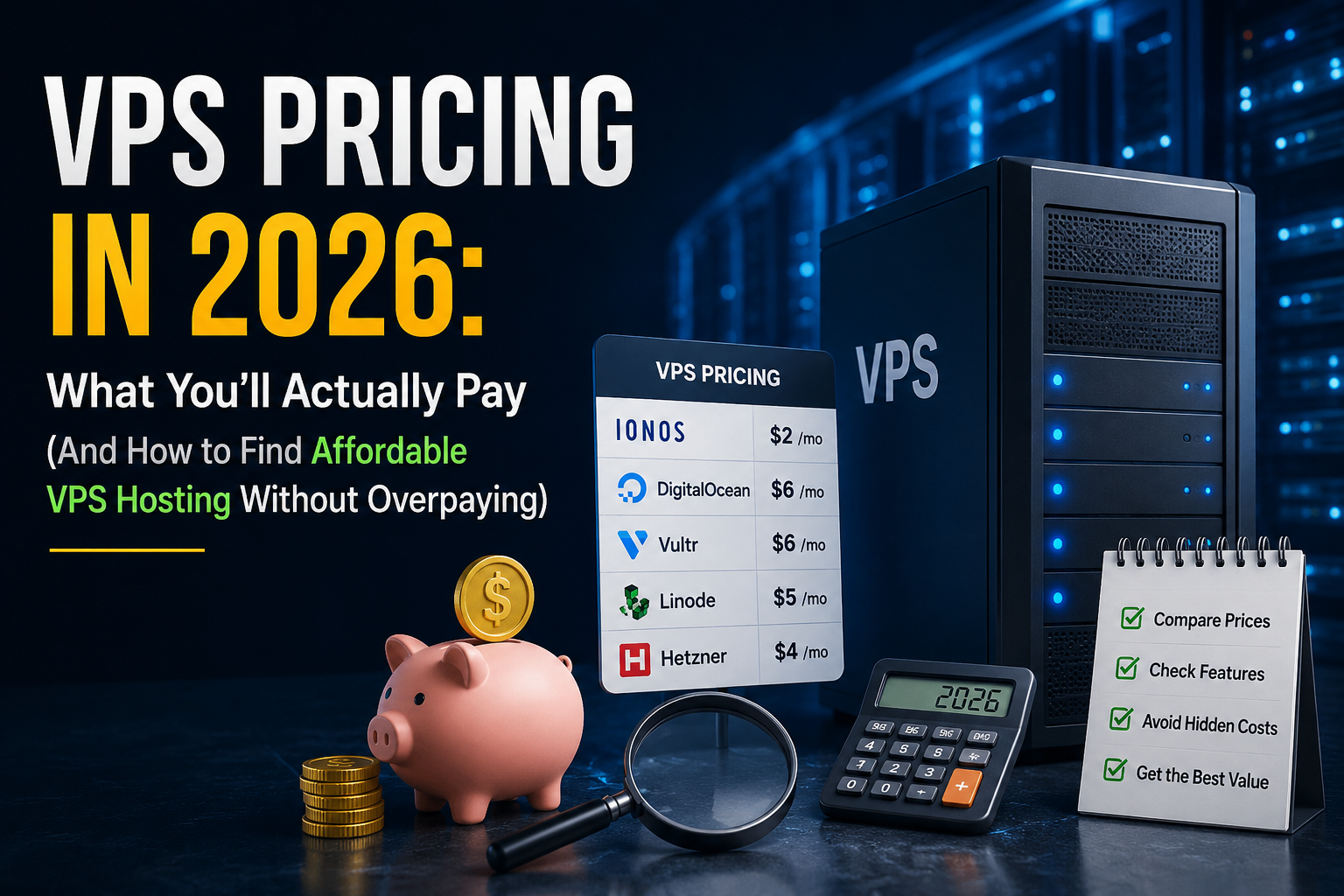
Type “VPS pricing” into Google and you’ll get a wall of hosting company homepages, each shouting a number that sounds too good to be true. $2.09 a month. $4.99. $1.99 if you squint at the fine print. None of them are lying, exactly — but none of them are telling you the whole story either.
This guide is the whole story. Real prices, real renewal jumps, real math, and a way to figure out what you specifically should be paying based on what you’re actually building — whether that’s a client site for an agency, a WooCommerce store, or a side project you’re finally taking seriously.
What Is VPS Hosting and Why Does Pricing Vary So Much?
A VPS (virtual private server) is a slice of a physical server that’s walled off just for you — your own CPU allocation, your own RAM, your own storage, with nobody else’s traffic spike slowing you down. That’s the whole pitch: more control and more consistent performance than shared hosting, without paying for an entire dedicated machine.
But “VPS” isn’t one product, which is exactly why the pricing spread is so wide. A $4/month VPS from DigitalOcean and a $46.99/month VPS from Bluehost are both technically VPS hosting, and they’re solving completely different problems. This is also why comparing VPS vs shared hosting can help you understand whether the extra cost is justified:
- Shared hosting — you share a server with hundreds of other sites. Cheapest option, least control, fine for low-traffic sites.
- Unmanaged VPS — your own resources, but you’re the sysadmin. You install the OS, configure security, manage updates. This is where DigitalOcean, Vultr, Linode, and Hetzner live.
- Managed VPS — same dedicated resources, but the provider handles server administration, security patching, and usually throws in a control panel like cPanel. This is where Bluehost, ChemiCloud, and Hostinger’s VPS tier live.
- Dedicated hosting — an entire physical server, no sharing at all. Overkill for most of the audience reading this.
The price difference between a $4 VPS and a $50 VPS almost never comes down to the hardware being wildly different. It comes down to how much of the work you’re paying.
someone else to do for you. Keep that idea in your back pocket — it explains most of what follows.
Average VPS Pricing in 2026: What the Market Actually Charges
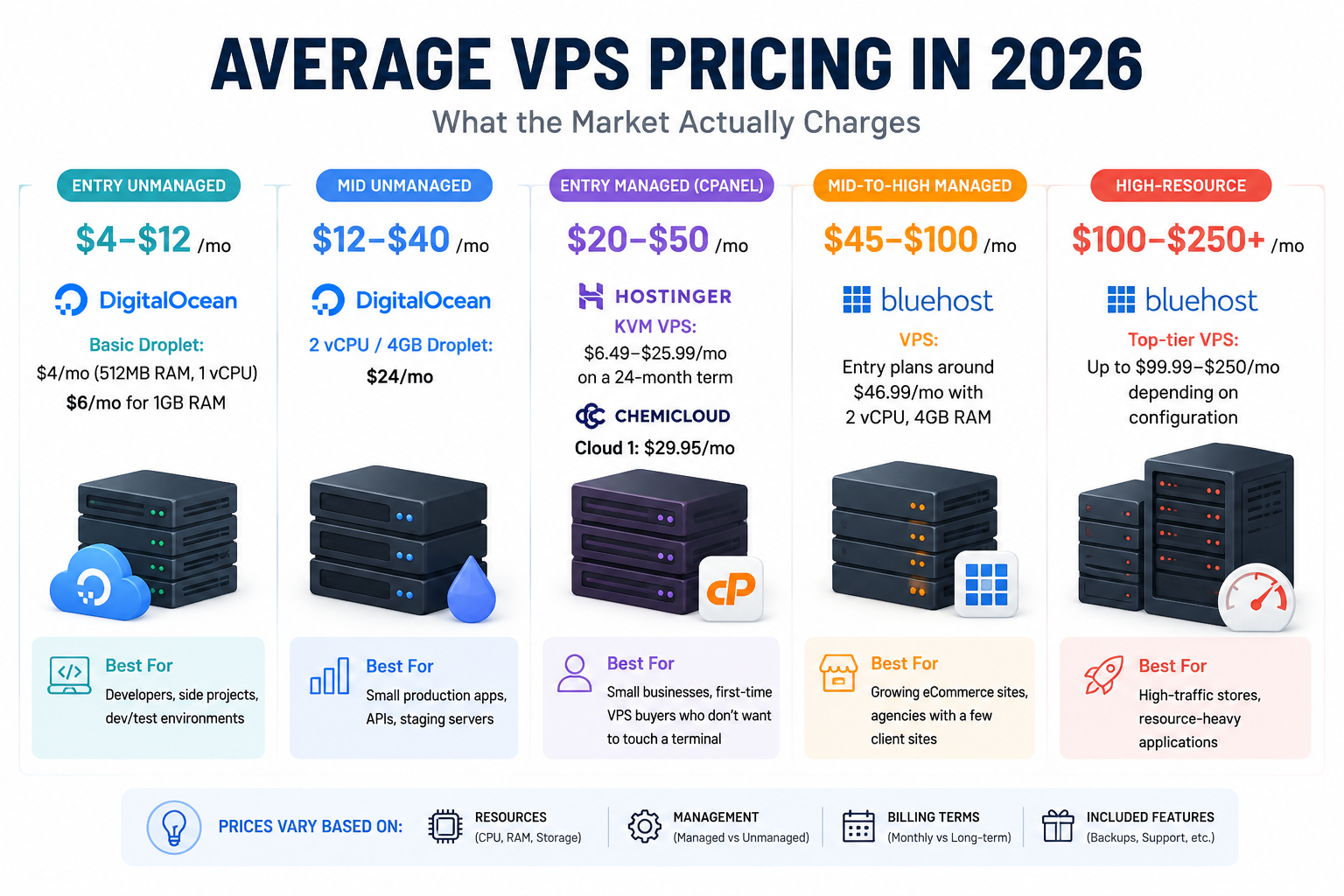
Here’s a realistic snapshot of what’s out there, grouped by type. These VPS hosting plans vary considerably depending on resources, management, billing terms, and included features:
|
Tier |
Typical Price Range |
Real Example |
Best For |
|
Entry unmanaged |
$4–$12/mo |
DigitalOcean Basic Droplet: $4/mo (512MB RAM, 1 vCPU); $6/mo for 1GB RAM |
Developers, side projects, dev/test environments |
|
Mid unmanaged |
$12–$40/mo |
DigitalOcean 2 vCPU/4GB Droplet: $24/mo |
Small production apps, APIs, staging servers |
|
Entry managed (cPanel) |
$20–$50/mo |
Hostinger KVM VPS: $6.49–$25.99/mo on a 24-month term; ChemiCloud Cloud 1: $29.95/mo |
Small businesses, first-time VPS buyers who don’t want to touch a terminal |
|
Mid-to-high managed |
$45–$100/mo |
Bluehost VPS: entry plans around $46.99/mo with 2 vCPU, 4GB RAM |
Growing eCommerce sites, agencies with a few client sites |
|
High-resource |
$100–$250+/mo |
Bluehost top-tier VPS up to $99.99–$250/mo depending on configuration |
High-traffic stores, resource-heavy applications |
A couple of things jump out immediately. First, “VPS pricing” spans a 60x range depending on how much hand-holding you want. Second, almost every number above is a starting price — which brings us to the part nobody’s homepage wants you to read closely.
If you’re ready to buy, explore our VPS plans here.
The Intro Price vs. Renewal Price Trap (Read This Before You Buy)
This is the single most important thing to understand about VPS pricing, and it’s the thing every vendor page buries in a footnote.
Hosting companies sell VPS plans on long-term contracts — 12, 24, sometimes 48 months — paid upfront, at a steep introductory discount. The number on the homepage is that discounted rate. When your term ends, the plan renews at the regular rate, which is often two, three, or four times higher.
Real numbers make this obvious. Hostinger’s entry VPS plan starts at $4.99/month on a 12-month term. When it renews, the price becomes $9.99/month — a 100% increase.
That’s actually one of the more reasonable jumps in the industry: Hostinger’s own shared hosting plans jump 272–452% at renewal by comparison, going from around $1.99/month to $10.99/month on their Premium plan.
Bluehost follows the same pattern. Their VPS pricing pages list plans “starting at” $4.69–$4.99/month, but that figure typically reflects a 36-month prepaid commitment with cPanel bundled in at a promotional rate — cPanel alone normally runs about $12/month on its own once you’re off the intro deal. This is why cPanel VPS pricing can look different depending on whether the license is bundled or billed separately.
None of this makes these companies untrustworthy. Long-term discounting is standard practice across the entire hosting industry, not a trick unique to any one brand. But it does mean the number that gets you to click “Sign Up” is almost never the number you’ll actually pay in year two. Before you buy anything, do this:
- Find the plan’s renewal price, not just the intro price — it’s usually in a pricing table footnote or the checkout screen before you confirm.
- Calculate the percentage increase. Anything under 100% is reasonable by industry standards. Above 200–300% is common but worth factoring into your decision.
- Multiply the renewal rate by however long you actually plan to keep the site running. A “cheap” $4.99/month plan that renews at $19.99/month for the next three years isn’t cheap — it’s $719.64 over that stretch.
What’s Actually Included in the Price? Breaking Down VPS Cost Components
VPS pricing isn’t just a single number — when you see “$29.95/month,” you’re not paying for compute alone. Several additional services and features can affect the final cost.
Compute Resources
Compute resources include vCPU cores, RAM, and NVMe/SSD storage. This is the actual “server” part, and it is one of the main drivers of price differences between VPS plans. A DigitalOcean Droplet with 4GB RAM and 2 vCPUs costs $24/month with nothing else included. A similarly specced managed VPS from ChemiCloud or Bluehost can cost 30–50% more because the price includes additional management and support services.
Control Panel License
cPanel/WHM is a popular server administration panel, but it isn’t always included for free. It can add around $12/month when billed separately, although many managed VPS providers include the license in their plan price. Unmanaged VPS providers such as DigitalOcean, Vultr, or Linode generally don’t include a control panel, so you may need to install one yourself or manage the server through the command line.
Managed Support
Managed support is often one of the biggest price differences between VPS plans. With a managed VPS, the provider may handle operating system updates, server monitoring, security patches, and support when something goes wrong. With an unmanaged VPS, these responsibilities fall on you or a developer you hire separately. This is why a $6/month Hostinger VPS and a $46.99/month Bluehost VPS can have comparable specifications while offering very different levels of service and support.
Backup Costs
Daily automated backups are common on many managed plans, but they can be a paid add-on on cheaper or unmanaged VPS tiers. DigitalOcean, for example, charges an additional percentage of the Droplet’s monthly cost for backups. Therefore, a $24/month Droplet can cost noticeably more once daily backups are added.
Bandwidth
“Unmetered” bandwidth does not always mean unlimited usage without restrictions. Providers may apply fair-use policies or resource limits under their terms of service. Metered providers such as DigitalOcean also charge for bandwidth usage beyond the included allowance. While the additional rate may seem small, these charges can add up quickly on high-traffic websites.
Dedicated IP, SSL, and Migration
Dedicated IP addresses, SSL certificates, and migration services are increasingly bundled with managed VPS plans, but you should still confirm what is included before purchasing. If you’re moving an existing website to a new VPS, specifically check whether migration is free or charged separately. Migration fees can become an unexpected cost if they are not included in the plan.
Compare the Total VPS Cost
Before comparing two VPS quotes side by side, check exactly what each price includes. Look at the control panel, daily backups, dedicated IP, migration assistance, and the level of technical support provided. Two plans that appear to be $15 apart on paper can end up costing almost the same once you account for the services and features actually included.
Affordable VPS Hosting: How to Get Real Value Without Sacrificing Performance
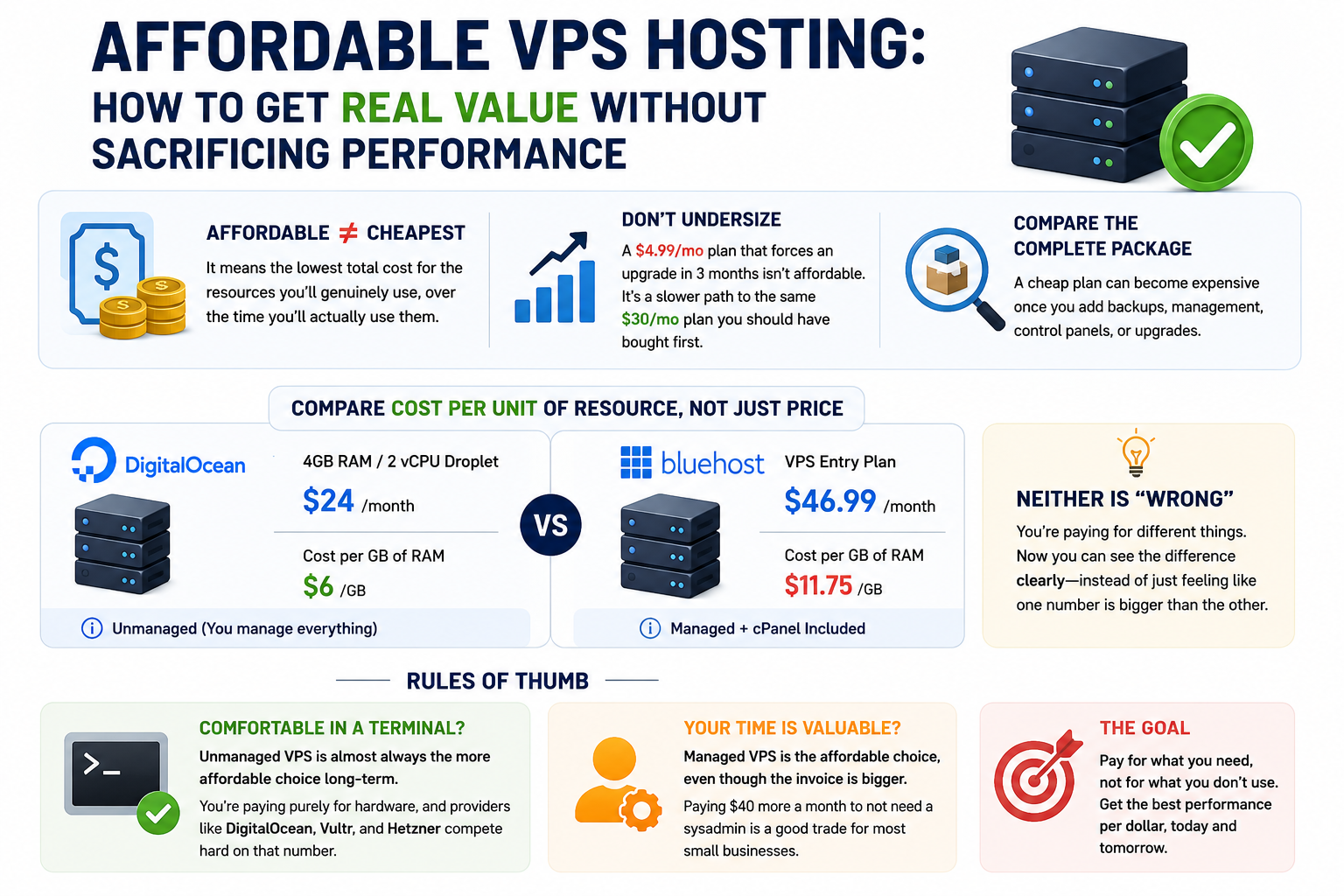
“Affordable” doesn’t mean cheapest sticker price — it means the lowest total cost for the resources you’ll genuinely use, over the time you’ll actually use them. A $4.99/month plan that forces an upgrade in three months because you undersized it isn’t affordable. It’s a slower path to the same $30/month plan you should have bought first.
For users specifically looking for cheap VPS hosting, the key is to compare the complete package rather than choosing the lowest advertised number. A cheap plan can become expensive once you add backups, management, control panels, or upgrades.
Here’s the actual lever worth pulling: calculate cost per unit of resource, not just the plan price. Take a DigitalOcean 4GB/2vCPU Droplet at $24/month — that’s $6/GB of RAM. A Bluehost VPS entry plan at $46.99/month with 4GB RAM and 2 vCPU is closer to $11.75/GB. Neither number is “wrong” — the Bluehost plan includes management and cPanel, the DigitalOcean one doesn’t — but now you can actually see what you’re paying for the difference, instead of just feeling like one number is bigger than the other.
A few rules of thumb:
- If you’re comfortable in a terminal, unmanaged VPS is almost always the more affordable choice long-term. You’re paying purely for hardware, and providers like DigitalOcean, Vultr, and Hetzner compete hard on that number.
- If an hour of your time (or a developer’s time) costs more than the price difference, managed VPS is the affordable choice, even though the invoice is bigger. Paying $40 more a month to not need a sysadmin is a good trade for most small businesses.
- Watch for artificially cheap entry tiers with low resource ceilings — a plan that looks like a steal at 1GB RAM will get expensive fast once you need to upgrade twice in a year instead of once.
- Factor in the renewal price, always, per the section above. The “affordable” plan on the homepage and the “affordable” plan on your card statement in year two are frequently not the same plan.
VPS Pricing by Use Case: How Much Should You Actually Spend?
Different readers of this article need completely different answers, so here’s pricing broken down by what you’re actually building.
Small business / brochure site. You need reliability more than raw power. A managed VPS with 1–2 vCPU and 2–4GB RAM in the $15–$30/month range covers most small business sites comfortably, with room to grow. For a best VPS for small business setup, prioritize reliable support, predictable renewal costs, backups, and enough resources to handle traffic growth. Hostinger’s entry KVM VPS ($6.49–$9.99/month renewal) or ChemiCloud’s Cloud 1 ($29.95/month) both fit here depending on how much hand-holding you want.
Developers and startups running staging environments, APIs, or early-stage apps. You don’t need managed support — you need flexibility and low cost while you iterate. Unmanaged VPS in the $5–$20/month range (DigitalOcean, Vultr, Linode) is the standard here. Spin up, tear down, and pay per second where available — DigitalOcean’s per-second billing since January 2026 makes short-lived test environments genuinely cheap.
eCommerce (WooCommerce and similar stacks). Checkout flows are unforgiving — a slow or downed server during a traffic spike costs you sales directly. Prioritize higher RAM and CPU, automated daily backups (non-negotiable for a store), and ideally a provider with WooCommerce-specific caching. If you’re comparing WooCommerce hosting cost, remember to include performance features, backups, caching, and managed support rather than comparing the monthly server price alone. Realistic budget: $40–$100/month for a managed VPS that can handle traffic spikes without buckling.
Agencies managing multiple client sites. The math here is per-site cost, not total plan cost. A $150/month VPS hosting 10 client sites is $15/site — often cheaper than 10 separate hosting accounts, with the added benefit of centralized management. Look specifically at reseller-friendly VPS plans and confirm whether white-labeling is included or an add-on.
VPS for WordPress: Pricing, What to Look For, and When You Need It
WordPress deserves its own section because it’s the single most common reason people search “VPS pricing” in the first place.
Most WordPress sites start on shared or managed WordPress hosting and stay there fine — until they don’t. The signals you’ve outgrown shared hosting: your site slows down under normal traffic (not just spikes), you’re running WooCommerce with real order volume, you need staging environments for testing plugin updates safely, or you’re running multisite for an agency or membership network.
When that happens, WordPress-optimized VPS pricing generally runs $20–$60/month at the entry level, scaling up with traffic. What separates a “VPS for WordPress” plan from a generic VPS at the same price point:
- Pre-installed staging environments so you can test updates before they hit your live site
- WordPress-specific caching — LiteSpeed or Redis object caching, which matters more for WordPress performance than raw CPU in a lot of cases
- Automatic core and plugin updates, managed for you rather than something you script yourself
- One-click WordPress installs and migration tools built specifically for WP, not generic server migration
A rough sizing guide by traffic:
- Under 10,000 visits/month: 1–2 vCPU, 2–4GB RAM is usually plenty — you’re likely overpaying if you’re on anything bigger.
- 10,000–50,000 visits/month: 2–4 vCPU, 4–8GB RAM, especially if you’re running WooCommerce or a page-builder-heavy theme.
- 50,000+ visits/month: 4+ vCPU, 8GB+ RAM, and at this point it’s worth specifically asking whether the provider offers autoscaling or burst capacity for traffic spikes (launches, sales events, viral posts).
The trade-off worth naming explicitly: managed WordPress VPS costs more per month than a bare VPS with WordPress installed manually, but it saves you (or your developer) the ongoing work of managing updates, caching, and security patching yourself. For most small business owners, that trade is worth it. For agencies managing dozens of sites with in-house dev resources, doing it yourself on cheaper unmanaged VPS often pencils out better.
Hidden Costs and Fees to Watch For in VPS Pricing
Beyond the renewal price jump, here’s what tends to sneak onto a bill after the fact:
(Base monthly price × contract length) + control panel license + backup costs + likely add-ons + probable upgrade cost
Worked example, using a realistic managed VPS scenario:
- Base plan: $29.95/month (ChemiCloud Cloud 1, first-term promotional rate)
- Contract length: 12 months = $359.40
- cPanel: included in this case, so $0
- Daily backups: included, so $0
- Add-ons (dedicated IP, SSL): included
- Year 1 total: roughly $359.40
Now the renewal year, where the promotional rate typically expires:
- Renewal rate (illustrative, based on typical managed VPS renewal jumps of 50–100%): ~$45–$60/month
- Year 2 total: $540–$720
Over two years, you’re looking at roughly $900–$1,080 all-in — not the $359 the homepage implied when you signed up. That’s not a reason to avoid the plan; it’s a reason to know the real number before you’re locked into it, so it doesn’t feel like a bait-and-switch a year from now. In other words, VPS hosting cost should be evaluated over the full period you expect to use the server, not just by the introductory monthly rate.
VPS Pricing Comparison: Popular Providers at a Glance
When comparing managed options, managed VPS pricing should be evaluated alongside the support, control panel, backups, and administration included in each plan.
Provider
Entry Price
Renewal Price
Entry Specs
Managed?
Best For
DigitalOcean
$4/mo
Same (no promo pricing — flat global rate)
512MB RAM, 1 vCPU
No
Developers, unmanaged workloads
Hostinger VPS
$4.99/mo (12-mo term)
$9.99/mo
1 vCPU, 4GB RAM
Partially (KVM, no cPanel by default)
Budget-conscious developers and small sites
ChemiCloud (Cloud 1)
$29.95/mo
Varies, often $40+/mo
2 vCPU, ~4GB RAM
Yes
Small businesses wanting full support
Bluehost VPS
$46.99/mo (entry)
Varies by term, often significantly higher
2 vCPU, 4GB RAM, 100GB NVMe
Yes
Small businesses, brand-name comfort
Prices verified against provider and third-party pricing pages as of August–September 2026. Hosting pricing changes frequently — always confirm current rates directly with the provider before purchasing.
How to Choose the Right VPS Pricing Plan for Your Budget and Needs
Run through this in order and you’ll land on the right tier faster than scrolling through ten more “best VPS” listicles:
- What’s your current traffic or expected load? Under 10k visits/month rarely needs more than an entry-tier plan, regardless of what a sales page suggests.
- Are you comfortable managing a server yourself? If not, managed VPS is worth the premium — factor that into “affordable” rather than treating it as a luxury.
- What’s your actual budget ceiling, accounting for renewal pricing? Not the intro price — the number you’ll pay in year two.
- How long do you realistically expect to keep this site running? Longer terms save money per month but lock you in; shorter terms cost more but keep you flexible if your needs change.
- What’s actually included, versus what’s an add-on? Use the checklist from earlier in this guide before comparing final numbers.
Technical Authority: Our Systems Engineering and Testing Background
Evaluating modern VPS pricing isn’t just about comparing figures on a promotional billing grid.
It also requires understanding the infrastructure, resource allocations, and system configurations behind those prices.
At HelloServer, our deployment engineers and systems administrators work with multi-node server environments and real-world hosting infrastructure.
We evaluate virtualized environments, monitor network performance under sustained workloads, and assess NVMe storage performance to understand how resources perform under demanding conditions.
Our recommendations are informed by hands-on systems and deployment experience, infrastructure monitoring, and practical testing rather than relying solely on promotional specifications.
This helps us assess whether a VPS plan offers a reasonable balance of resources, performance, reliability, and overall cost.
Real Infrastructure Insights You Can Trust
When users search for cheap VPS hosting, the advertised monthly price doesn’t always tell the complete story.
Renewal rates, resource limits, bandwidth policies, virtualization technology, and additional services can all affect the actual value of a VPS plan.
At HelloServer, we focus on making these technical details easier to understand.
Our evaluations consider real infrastructure specifications and performance-related factors rather than relying only on marketing claims.
We break down CPU, RAM, storage, networking, and management features so businesses can make informed hosting decisions.
This helps businesses choose a high-performance VPS that matches their workload and scaling requirements.
Frequently Asked Questions
What is a good price for VPS hosting? For most small businesses, $15–$40/month for a managed VPS covers real needs without overpaying. Developers comfortable managing their own server can reasonably pay $5–$15/month for comparable hardware unmanaged.
Is VPS more expensive than shared hosting? Yes, typically — shared hosting can start under $3/month, while VPS realistically starts around $4–$5/month unmanaged or $20+/month managed. The trade-off is dedicated resources and more consistent performance, which matters once shared hosting starts throttling your site under load.
Why did my VPS renewal price go up so much? Most VPS plans are sold at a promotional rate for the first prepaid term, then renew at the provider’s standard rate — often 50–300% higher. This is standard across the hosting industry, not specific to one provider, but it’s worth checking before you buy, not after your card gets charged.
Is managed VPS worth the extra cost? If you don’t want to handle server security, updates, and troubleshooting yourself — or don’t have someone who can — yes. The premium you’re paying is for someone else doing that work, not for better hardware.
How much VPS do I need for WordPress? For most WordPress sites under 10,000 monthly visits, 1–2 vCPU and 2–4GB RAM is enough. WooCommerce stores and higher-traffic sites should budget for 4GB+ RAM and look specifically for WordPress-optimized caching.
Can I switch VPS providers without losing my site? Yes, though it takes some work — most providers offer migration tools or free migration assistance for new customers. Back up your site fully before starting any migration, regardless of what tools you’re using.