If you search for GPU Server Rental, you will find many providers offering different GPUs, pricing models, and server configurations. However, choosing the right GPU is not simply about selecting the most powerful hardware available. Your workload, VRAM requirements, budget, usage duration, and scalability needs all affect which option makes sense.
Whether you are developing AI applications, training machine learning models, fine-tuning LLMs, rendering 3D projects, or processing large datasets, renting GPU infrastructure can provide access to high-performance computing without requiring a large upfront hardware investment.
In this guide, we explain how GPU Server Rental works, which GPUs you can rent, how pricing works, what costs to consider, and how to choose the right server for your workload.
What Is GPU Server Rental and How Does It Work?
GPU Server Rental allows individuals and businesses to remotely access a physical or virtual server equipped with one or more GPUs. Instead of purchasing expensive hardware, you pay the provider for the computing resources you use.
Generally, GPU servers can be rented on an hourly, daily, or monthly basis. Therefore, you can choose a billing model according to your workload and budget.
For example, a developer testing an AI model for a few hours may only need an hourly GPU instance. On the other hand, a company running production workloads continuously may benefit from a monthly or long-term plan.
This model is also commonly associated with cloud GPU hosting, where users can deploy GPU resources on demand and scale their computing capacity when necessary.
How GPU Server Rental Works
The process is relatively straightforward:
- Choose a GPU based on your workload.
- Select the required CPU, RAM, storage, and operating system.
- Choose an hourly or monthly rental plan.
- Deploy the GPU server.
- Connect remotely through SSH, RDP, or another supported method.
- Install or use your required software.
- Run your workload and monitor resource usage.
- Stop or cancel the server when you no longer need it.
As a result, businesses can access powerful infrastructure without managing the physical hardware themselves.
GPU Server Rental vs. Buying a GPU
Buying a GPU requires a significant upfront investment. Moreover, the purchase price is only part of the total cost because you may also need a compatible server, electricity, cooling, networking, maintenance, and replacement hardware.
With GPU Server Rental, these infrastructure responsibilities are generally handled by the provider.
|
Factor |
GPU Server Rental |
Buying a GPU |
|
Upfront investment |
Low |
High |
|
Maintenance |
Usually handled by provider |
Customer responsibility |
|
Scalability |
Flexible |
Limited by owned hardware |
|
Hardware upgrades |
Usually easier |
Requires new hardware |
|
Long-term ownership |
No |
Yes |
|
Best for |
Variable workloads |
Consistent long-term workloads |
Therefore, rental can be particularly useful when your GPU requirements are changing or when you need powerful hardware for a limited period.
Why Businesses Choose GPU Server Rental
Businesses choose GPU rental for several reasons.
First, it reduces the need for large upfront hardware investments. Second, it provides access to newer GPU models without requiring the business to purchase and maintain them. In addition, users can often scale their infrastructure according to project requirements.
For startups and growing companies, this flexibility can be especially useful because GPU requirements may change as their products and workloads develop.
Why Use GPU Server Rental for Your Business?
A GPU server can provide significantly more parallel computing power than a traditional CPU-only server for workloads designed to use GPU acceleration.
However, the benefits depend on the workload. AI training, inference, rendering, simulation, and video processing can all use GPU acceleration, but each workload may require a different GPU configuration.
GPU Server Rental for AI and Machine Learning
AI and machine learning workloads often require substantial GPU computing power.
For example, GPUs can accelerate model training, inference, image processing, natural language processing, and data analysis.
Smaller models may work efficiently on GPUs with 16GB or 24GB of VRAM. Meanwhile, larger models and more demanding training workloads can require 40GB, 48GB, 80GB, or more.
Therefore, understanding your VRAM requirements before renting a server is important.
GPU Server Rental for LLM Training and Fine-Tuning
Large language models can require substantial GPU memory.
Fine-tuning LLMs may require GPUs with significant VRAM depending on the model size, training method, batch size, precision, and optimization techniques being used.
For example, parameter-efficient techniques such as LoRA can reduce memory requirements compared with full model training. Nevertheless, larger models can still require high-memory GPUs or multiple GPUs.
As a result, developers should evaluate the actual memory requirements of their model instead of choosing a GPU based only on its name or theoretical performance.
GPU Server Rental for 3D Rendering and Video Production
3D rendering, animation, visual effects, and video production can benefit from GPU acceleration.
Rendering studios and creative agencies can rent GPU infrastructure when they need additional computing power for a project.
Instead of purchasing multiple high-end workstations that may remain underutilized between projects, businesses can use rented GPU resources when rendering demand increases.
GPU Server Rental for Startups and Small Businesses
Startups often need computing resources before they know exactly how much infrastructure they will require.
Therefore, GPU Server Rental can allow a startup to test an AI product, run prototypes, and scale workloads without purchasing expensive physical infrastructure.
Similarly, small businesses can rent GPU resources only when they need them, helping them avoid paying for hardware that remains unused.
Which GPU Should You Choose for GPU Server Rental?
Not every workload requires the same GPU.
A consumer GPU may be sufficient for image generation or development, while a high-memory data-center GPU may be more appropriate for large-scale AI training.
Consumer GPUs for GPU Server Rental
Consumer GPUs such as the RTX 4090 and similar models can provide strong performance for many AI, rendering, and creative workloads.
They can be suitable for:
- AI experimentation
- Image generation
- Smaller model inference
- Development and testing
- 3D rendering
- Video processing
However, consumer GPUs may have lower VRAM capacity than some professional and data-center GPUs.
Professional GPUs for GPU Server Rental
Professional GPUs such as RTX A-series models and L40S are designed for demanding professional workloads.
They can be useful for AI development, visualization, rendering, and workloads requiring larger memory capacity or professional GPU features.
Consequently, these GPUs can provide a middle ground between consumer hardware and expensive data-center GPUs.
Data Center GPUs for GPU Server Rental
Data-center GPUs include models such as:
- NVIDIA A100
- NVIDIA H100
- NVIDIA H200
- NVIDIA B200
These GPUs are designed for demanding AI, machine learning, and high-performance computing workloads.
They typically offer high memory capacity, strong memory bandwidth, and advanced features for large-scale workloads.
However, they also generally have higher rental prices. Therefore, you should choose them when your workload actually benefits from their capabilities.
How Much VRAM Do You Need?
VRAM is one of the most important factors when selecting a GPU.
A simplified guide is:
|
Workload |
Typical VRAM Requirement |
|
Basic AI experimentation |
8–16GB |
|
Image generation |
12–24GB |
|
Small-model inference |
16–24GB |
|
Fine-tuning smaller models |
24GB+ |
|
Larger AI workloads |
40–48GB+ |
|
Large-model workloads |
80GB+ |
|
Multi-GPU training |
80GB+ per GPU may be required |
These are general guidelines rather than fixed requirements.
For instance, quantization and memory optimization can reduce the amount of VRAM required for some AI workloads. Therefore, always test your specific application when possible.
GPU Server Rental Pricing: What Does It Cost?
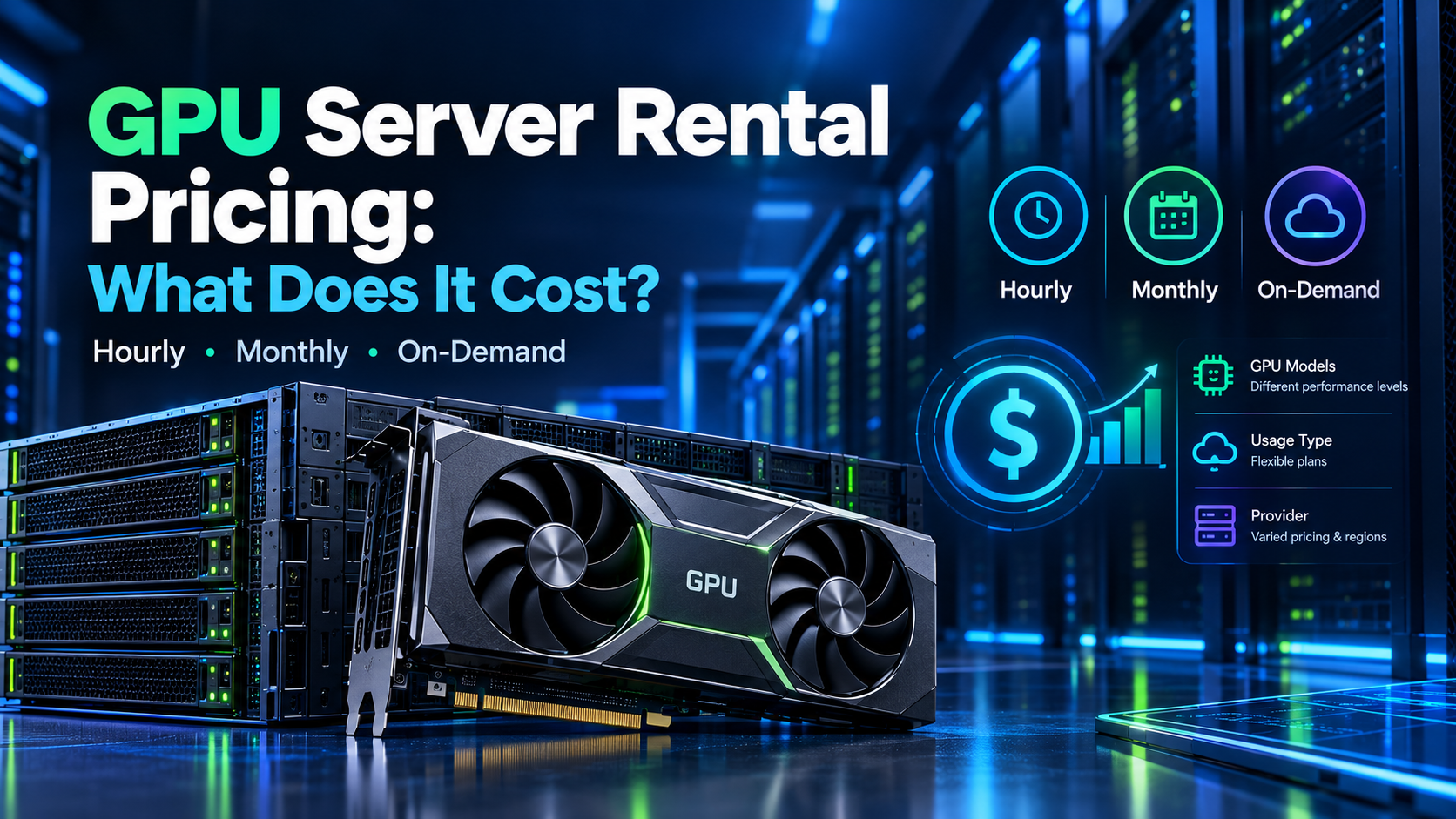
GPU Server Rental pricing varies significantly depending on the GPU model, provider, location, billing model, storage, and availability.
Approximate market pricing can range from less than $1 per hour for some lower-cost GPUs to several dollars per hour for high-end data-center GPUs.
For example, an A100 80GB may cost around $1.40–$2.40 per hour in some rental environments, while newer high-end GPUs can cost considerably more.
However, these figures are only approximate. Providers can change their pricing based on demand, availability, contract length, and infrastructure costs.
Hourly GPU Server Rental Pricing
Hourly billing is useful when workloads are short or unpredictable.
For example, if you need a GPU for 20 hours to test an AI model, hourly billing can prevent you from paying for an entire month of unused infrastructure.
Nevertheless, monitor your instances carefully because an active server can continue generating charges even when your application is not actively using the GPU.
Monthly GPU Server Rental Plans
Monthly plans can make sense when you need continuous GPU access.
For example, a development team running an AI inference service 24/7 may find a monthly plan more predictable than paying an hourly rate.
However, always calculate the total monthly cost before choosing a long-term plan.
On-Demand GPU Rental Pricing
On-demand pricing allows users to access GPUs without making a long-term commitment.
This option can be useful for:
- Short projects
- Testing
- Research
- Development
- Temporary increases in workload
Therefore, on-demand GPU rental can provide flexibility when your computing requirements are uncertain.
Hidden Costs to Check Before Renting
The advertised GPU price may not always represent the complete cost.
Before renting, check whether the provider charges separately for:
- Storage
- Backups
- Data transfer
- Bandwidth
- IP addresses
- Operating system licenses
- Setup
- Minimum usage
- Additional disks
Moreover, check whether storage continues to incur charges when the GPU instance is stopped.
How to Choose the Right GPU Server Rental Provider
Choosing a provider requires more than comparing hourly prices.
You should also consider hardware availability, server reliability, support, network performance, deployment speed, and billing transparency.
GPU Selection and Availability
First, check whether the provider offers the exact GPU you need.
A provider may advertise several GPU models, but availability can change depending on demand.
Therefore, confirm current availability before planning a project around a specific GPU.
Pricing and Billing Options
Compare hourly, monthly, reserved, and on-demand pricing.
In addition, check whether the provider charges for idle instances, storage, and bandwidth.
A lower advertised GPU price does not always mean a lower total cost.
Data Center Locations
The physical location of your GPU server can affect latency and data-transfer performance.
For real-time applications, choose a location that is geographically appropriate for your users and data.
Performance and Reliability
Look for information about server uptime, hardware specifications, network performance, and service-level agreements.
Furthermore, check whether the provider clearly explains what happens if hardware fails.
Support and Technical Documentation
Good documentation can make deployment significantly easier.
Look for setup guides, operating system information, API documentation, troubleshooting resources, and clear support channels.
Scalability and Upgrade Options
Your requirements may increase as your business grows.
Therefore, check whether you can add GPUs, increase storage, upgrade hardware, or deploy additional servers without changing providers.
How to Rent a GPU Server: Step-by-Step Guide
Once you understand your workload and budget, you can follow these steps to deploy a GPU server.
Step 1: Identify Your GPU Server Rental Requirements
First, determine:
- GPU type
- VRAM requirement
- CPU requirements
- RAM
- Storage
- Operating system
- Expected usage hours
- Network requirements
This information will make it easier to compare different plans.
Step 2: Choose the Right GPU
Next, select a GPU based on your actual workload.
For example, a smaller inference workload may not require an H100. On the other hand, large-scale training may require a high-memory data-center GPU.
Step 3: Select a GPU Server Rental Plan
Compare hourly and monthly plans.
Calculate the expected monthly cost based on your actual usage rather than relying only on the advertised hourly price.
Step 4: Choose Your Operating System and Server Template
Linux distributions such as Ubuntu are commonly used for AI and machine learning workloads.
Many providers also offer pre-built server templates with software such as CUDA, PyTorch, or TensorFlow already configured.
As a result, you can reduce deployment and setup time.
Step 5: Deploy and Connect to Your GPU Server
After selecting your configuration, deploy the server.
Linux users can commonly connect through SSH, while Windows environments may support remote desktop access.
Once connected, install your applications, dependencies, datasets, and required frameworks.
Step 6: Monitor Your GPU Server Rental Usage
Finally, monitor GPU utilization, memory usage, storage, bandwidth, and running time.
If the GPU remains idle for long periods, shut it down when possible.
Consequently, monitoring can help prevent unnecessary rental charges.
Common GPU Server Rental Mistakes to Avoid
Although renting GPU infrastructure can be flexible, users can still make expensive mistakes.
Choosing a More Powerful GPU Than You Need
A high-end GPU is not always necessary.
For example, if your workload fits comfortably within 24GB of VRAM, paying for an 80GB GPU may not provide enough additional value to justify the extra cost.
Ignoring Storage and Bandwidth Costs
GPU computing is only one part of the infrastructure.
Large datasets, model files, backups, and output files can require significant storage and bandwidth.
Therefore, calculate the complete infrastructure cost before starting your project.
Using Hourly GPU Server Rental for Long-Term Workloads
Hourly billing is convenient, but it can become expensive when the server runs continuously.
For long-term workloads, compare the total hourly cost with monthly or reserved options.
Not Testing the GPU Before Deployment
Whenever possible, test your application before making a long-term commitment.
A short test can help you identify compatibility problems, insufficient VRAM, performance limitations, or software issues.
Failing to Monitor Idle GPU Resources
An unused GPU can still generate rental charges.
Therefore, monitor running instances and stop resources that are no longer required.
GPU Server Rental: How to Reduce Your Computing Costs
Once your GPU server is deployed, there are several ways to manage costs more effectively.
Choose the Right GPU for Your Workload
First, select hardware based on actual requirements rather than specifications alone.
A less expensive GPU may provide sufficient performance for your application.
Compare GPU Server Rental Plans
Next, compare multiple providers and billing options.
Look beyond the hourly price and calculate storage, bandwidth, taxes, and other possible fees.
Use On-Demand Resources Efficiently
For short projects, start the GPU only when required.
Then, stop the instance when the workload is complete.
Monitor GPU Usage and Storage
Use monitoring tools to identify low utilization and unnecessary resources.
In addition, remove unused files, backups, and storage volumes when appropriate.
Consider Long-Term Rental Options
If you know that you will use the same GPU continuously, compare monthly and reserved plans.
Depending on the provider, long-term commitments may reduce the effective hourly cost.
Ready to Rent a GPU Server?
Choosing the right GPU Server Rental depends on your workload, VRAM requirements, expected usage, budget, and future scaling needs.
Before renting, compare current GPU server rental pricing, GPU availability, billing options, storage costs, bandwidth charges, and support services.
Whether you need a GPU for AI development, machine learning, LLM fine-tuning, 3D rendering, or video processing, selecting the appropriate configuration can help you avoid unnecessary infrastructure costs.
Explore GPU Server Rental Plans and choose the configuration that fits your workload.
GPU Server Rental FAQs
Is GPU Server Rental Cheaper Than Buying a GPU?
For short-term or variable workloads, renting can reduce upfront costs because you do not need to purchase the hardware or manage physical infrastructure.
However, for workloads that run continuously for several years, buying hardware may become financially competitive. The right option depends on utilization, hardware cost, electricity, maintenance, and expected lifespan.
Which GPU Is Best for GPU Server Rental?
There is no single GPU that is suitable for every workload.
For example, consumer GPUs can work well for development and image generation, while A100, H100, H200, and other high-memory GPUs can be appropriate for demanding AI and machine learning workloads.
Therefore, choose based on your VRAM, performance, software, and budget requirements.
How Much Does GPU Server Rental Cost?
Pricing varies according to the GPU model, provider, region, billing method, and availability.
Lower-cost GPUs can sometimes be available for less than $1 per hour, while high-end data-center GPUs can cost several dollars per hour.
Always check the provider’s current pricing before making a decision.
What Is the Difference Between GPU VPS and GPU Server Rental?
A GPU VPS is typically a virtualized environment that provides GPU resources through a virtual server.
GPU Server Rental is a broader term that can include GPU VPS, cloud GPU instances, and dedicated physical GPU servers.
Can I Rent a GPU Server for AI and Machine Learning?
Yes. GPU servers are commonly used for AI development, model training, inference, fine-tuning, image generation, data processing, and other machine learning workloads.
The required GPU depends on the model size, VRAM requirement, batch size, and workload.
How Quickly Can I Deploy a GPU Server?
Deployment time depends on the provider, GPU model, location, and whether the server is virtual or dedicated.
Cloud GPU instances may be available quickly, while dedicated physical servers can require additional provisioning time.
Can I Scale My GPU Server Rental as My Business Grows?
Many providers offer scalable GPU infrastructure.
Depending on the platform, you may be able to add GPUs, deploy additional servers, increase storage, or move to a different GPU configuration.
Therefore, check the provider’s scaling options before starting a long-term project.