
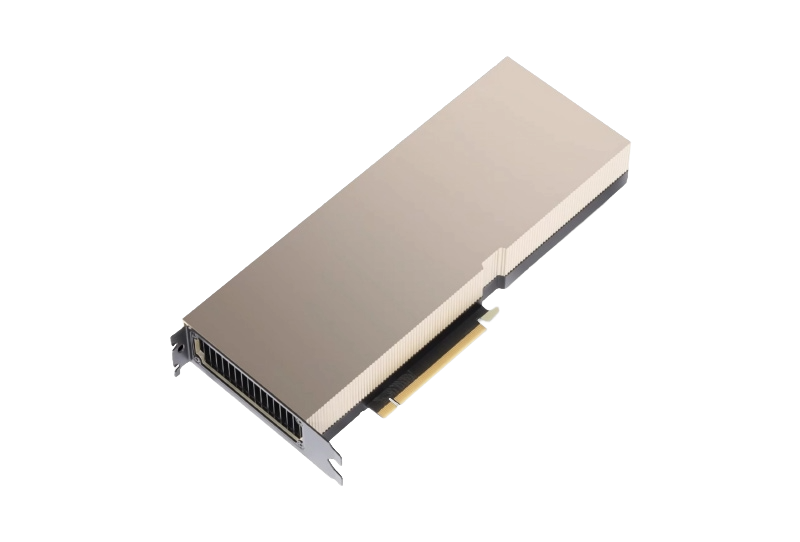
Choosing between an NVIDIA H100 and A100 starts with the workload: the model must fit, requests must meet their latency target, and the server must deliver enough useful work to justify its cost. A newer GPU can be the better investment, but a lower-priced A100 may be sufficient for an established workload.
This guide compares manufacturer specifications and explains how to evaluate performance and cost. It does not present a HelloServer hardware benchmark or a live rental quotation.
H100 vs A100: compare the exact GPU variant
“H100” and “A100” are product families. The table below deliberately compares the 80GB SXM versions. PCIe and NVL configurations have different limits; an SXM module also requires a compatible server platform.
| Specification | A100 80GB SXM | H100 80GB SXM |
|---|---|---|
| Architecture | Ampere | Hopper |
| GPU memory | 80GB HBM2e | 80GB HBM3 |
| Memory bandwidth | 2,039GB/s | 3.35TB/s |
| NVLink bandwidth | 600GB/s | 900GB/s |
| Standard maximum GPU TDP | 400W | Up to 700W, configurable |
| Native FP8 Transformer Engine | No | Yes |
Sources: NVIDIA A100 specifications and NVIDIA H100 specifications. H100 NVL is a separate configuration with 94GB per GPU; do not confuse the memory of a two-GPU pair with the capacity of one device.
Memory capacity comes before peak compute
Both SXM products in this comparison have 80GB of memory. Moving from one to the other therefore does not automatically solve an out-of-memory problem. Model weights, KV cache, activations, temporary buffers and runtime allocations all compete for that capacity.
A simple planning estimate for raw weight storage is parameter count multiplied by bytes per parameter. For example, eight billion parameters at two bytes each require about 16GB in decimal units before overhead. A 70-billion-parameter model at the same precision needs roughly 140GB for weights alone. These are arithmetic estimates, not guarantees that a particular model or serving configuration will fit.
For inference, test the longest supported prompt and the intended concurrent request count. A configuration that starts successfully can still exhaust memory under peak traffic. Quantization can reduce weight memory, but its quality, kernel support and performance need validation with the actual model.
Where the H100 can help
The practical question is which stage limits your job. A memory-bound workload, a compute-heavy training step and a communication-heavy distributed run will respond differently to a hardware upgrade. FP8 support is useful only when the model, framework and numerical requirements can use it effectively.
Do not turn a vendor headline speedup into a blanket promise. Record the model revision, precision, software versions, GPU count and workload shape whenever comparing results. For a training run, compare time to an equivalent quality target, rather than steps per second alone.
| Workload | Measure first | Decision question |
|---|---|---|
| Interactive LLM inference | Time to first token, output rate and p95 latency | Which server meets the user experience target at peak concurrency? |
| Batch inference | Completed valid items per hour | Does higher throughput offset the hourly premium? |
| Fine-tuning or training | Time to target quality and peak memory | Does the full job finish sooner at lower total cost? |
| Multi-GPU execution | Scaling efficiency and collective time | Is the bottleneck compute, interconnect or data supply? |
A fair comparison needs the complete server
Match CPU resources, RAM, storage and networking as closely as possible. Document any unavoidable differences. A faster accelerator will not fix a data loader that cannot supply batches quickly enough, and two nominally identical GPUs can perform differently when power limits or cooling differ.
- Pin the model, dataset and container versions.
- Warm up both systems and repeat the same request or job mix.
- Use the same accuracy requirement and latency objective.
- Test several concurrency levels instead of one favourable batch size.
- Record successful output, errors, power, temperatures and the complete configuration.
Compare cost per completed job
Use job cost = hourly server price × elapsed hours, then add separately billed storage, data transfer and other charges. For an illustrative example, a server costing €4 per hour that finishes in two hours costs €8; a €2.50-per-hour server taking four hours costs €10. These numbers explain the calculation and are not market prices or HelloServer offers.
If server H costs 1.6 times as much per hour as server A, it needs more than 1.6 times the useful throughput to lower compute cost per unit, assuming equal quality, availability and billing conditions. For latency-sensitive services, count only requests meeting the service target.
Which should you choose?
Shortlist the A100 when the workload already fits and meets its target, and a verified quotation makes the economics attractive. Shortlist the H100 when your software can exploit its capabilities and a representative test shows a worthwhile improvement. Compare newer alternatives too when procuring a new deployment; this article focuses on these two families, not the entire GPU market.
Before ordering, ask for the exact GPU SKU, usable memory, full-server specification, power limits, network topology, support terms and a test window. Explore HelloServer GPU dedicated servers and use the workload checklist when requesting a suitable configuration.