If you’ve started shopping for GPU hosting, you’ve probably noticed that almost every provider claims to offer cheap, fast, and reliable GPU infrastructure. However, comparing providers isn’t always straightforward. The advertised hourly price is only one part of the equation, and storage, bandwidth, data transfer, availability, and billing models can significantly affect your final cost.
That’s what this GPU hosting guide is designed to help you understand.
Whether you’re a developer fine-tuning an AI model, an eCommerce business generating product images, a startup building an AI application, or an agency handling rendering work for clients, the right GPU setup depends on more than the name of the graphics card.
With GPU hosting, you can rent a GPU for AI workloads instead of purchasing expensive hardware. You can also test a project with hourly billing, scale resources when demand increases, and avoid many of the costs associated with maintaining physical infrastructure.
The important part is knowing what you’re paying for before you commit.
In this guide, we’ll explain how GPU hosting works, compare different GPU hosting options, examine pricing models, discuss popular GPUs such as the NVIDIA A100 and RTX series, and show you how to choose infrastructure that matches your workload.
What Is GPU Hosting and How Does It Work?
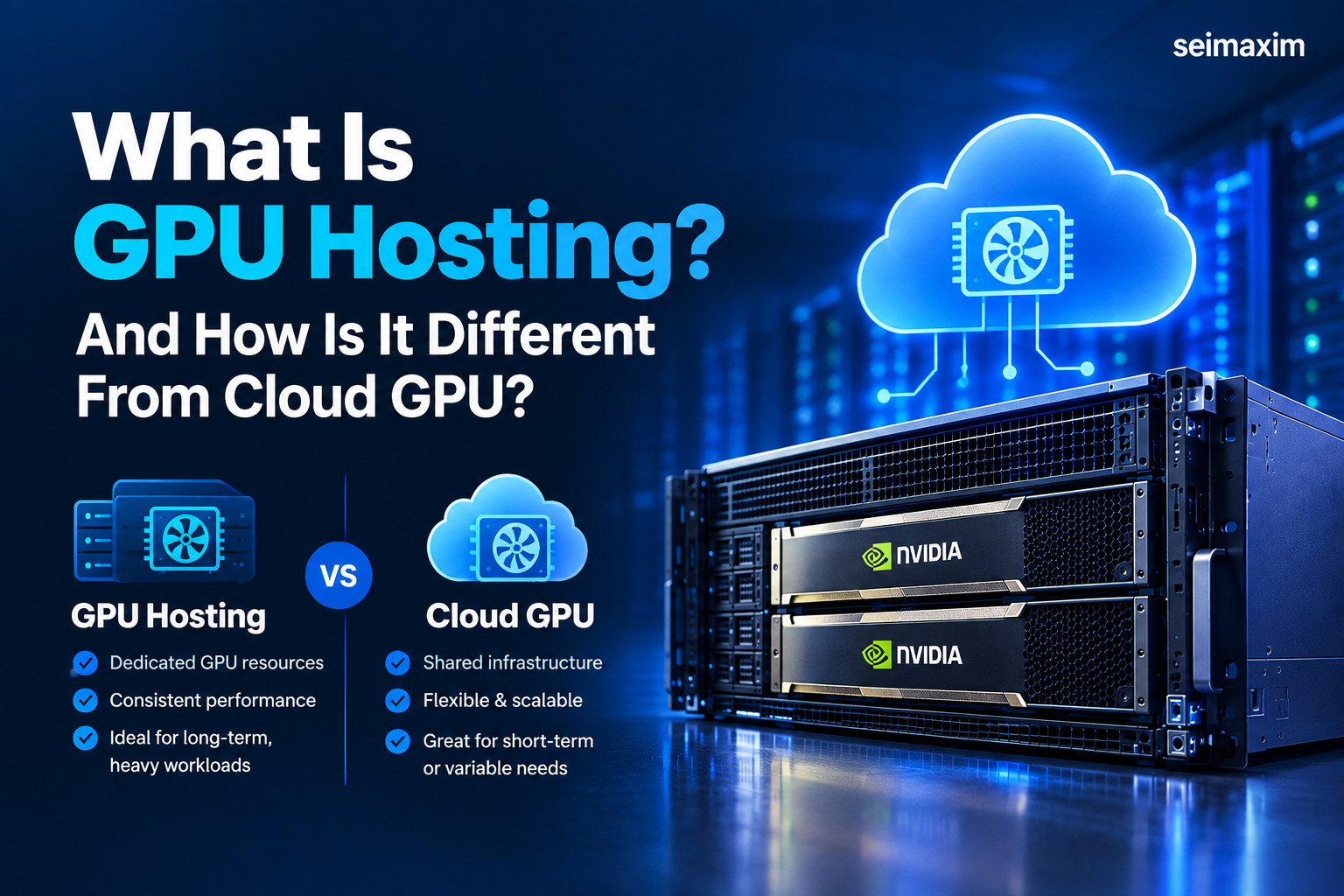
At its core, GPU hosting means renting access to GPU-accelerated computing resources instead of purchasing and maintaining the hardware yourself.
You can access powerful NVIDIA GPUs without paying the full upfront cost of buying physical equipment. In addition, you avoid many responsibilities associated with power, cooling, maintenance, hardware replacement, and physical server management.
The terms GPU hosting and cloud GPU are sometimes used interchangeably. However, they can describe different infrastructure models depending on how the GPU resources are provided and billed.
If you’re new to GPU infrastructure, you can also explore [What Is a GPU?] and [GPU vs CPU: What’s the Difference?] to understand why GPUs are particularly useful for highly parallel workloads.
GPU VPS Hosting
A GPU VPS is a virtual private server with GPU resources attached or allocated to it.
It works similarly to a conventional VPS but is designed for workloads that require accelerated computing. As a result, GPU VPS hosting can be practical for developers, small teams, inference workloads, and businesses that need regular GPU access without renting an entire physical machine.
GPU Dedicated Server Hosting
A GPU dedicated server gives you access to an entire physical server.
The GPU, CPU, RAM, storage, and other resources are dedicated to your workload rather than being shared with other customers. Therefore, dedicated GPU hosting can provide more predictable performance for demanding production workloads.
The main disadvantage is the higher fixed cost and lower flexibility compared with short-term cloud GPU instances.
On-Demand GPU Hosting
An on-demand GPU hosting model allows you to launch a GPU instance when you need it, pay for the resources you use, and shut the instance down when the workload is complete.
This model is particularly useful for:
- Development
- Testing
- AI experiments
- Temporary projects
- Variable workloads
- Short-term model training
However, leaving an instance running unnecessarily can increase your monthly bill.
Spot and Marketplace GPU Hosting
Spot and marketplace GPU hosting can provide access to available hardware at discounted rates.
The trade-off, however, is that capacity may not be guaranteed. Depending on the provider, your instance may be interrupted or become unavailable when demand changes.
Therefore, this model works best for jobs that can save checkpoints and resume without losing significant progress.
| Type | How Billing Works | Best For | Main Risk |
| GPU VPS | Monthly or hourly | Small teams and steady workloads | Shared underlying infrastructure |
| GPU Dedicated Server | Monthly or contract-based | Heavy production workloads | Higher fixed cost |
| On-Demand GPU | Hourly or usage-based | Variable workloads and experiments | Costs can increase if left running |
| Spot/Marketplace GPU | Flexible and discounted | Batch jobs and testing | Workloads may be interrupted |
The distinction matters because a startup running a two-week model-training project needs very different infrastructure from an agency that occasionally renders a client’s 3D animation.
Therefore, choosing the wrong category can mean paying for flexibility you don’t need or sacrificing reliability you actually require.
Who Needs GPU Hosting? Use Cases by Audience
GPU hosting is no longer limited to research laboratories and large technology companies. Today, businesses of different sizes can use GPU infrastructure for practical AI, rendering, and data-processing workloads.
For Developers and Startups
Developers and startups use GPU hosting to train and fine-tune models, run inference, process datasets, and test AI applications before investing heavily in infrastructure.
For example, a small team building an AI chatbot may need a GPU for only several hours each day. Instead of purchasing physical hardware, the team can rent GPU capacity and increase usage as traffic grows.
Consequently, GPU cloud hosting for startups can help businesses validate ideas without making a large hardware investment at the beginning.
For eCommerce Businesses
eCommerce businesses can benefit from GPU workloads even if they don’t consider themselves traditional AI companies.
Imagine an online store that needs lifestyle images for hundreds of new products. Instead of arranging a separate photoshoot for every product, the business could use GPU-powered image generation.
That’s a practical GPU infrastructure use case even though the company may not operate as an AI business.
GPU infrastructure can also support:
- Visual search
- Image processing
- Product image generation
- Recommendation systems
- Embedding generation
- AI-powered customer experiences
For Agencies
Agencies often need GPU capacity in bursts rather than continuously.
For example, a video production agency might require substantial GPU resources for two weeks while rendering a client’s campaign. Afterward, its GPU requirements may drop considerably.
In this situation, on-demand or spot GPU hosting can make more sense than purchasing hardware that remains unused for most of the month.
For Small Businesses
Small businesses can benefit from GPU hosting for the same basic reason they benefit from cloud computing: it reduces the need for a large upfront investment.
Instead of purchasing expensive hardware before knowing whether an AI feature will create value, a business can rent GPU resources, test the idea, and scale when necessary.
For smaller workloads such as background removal, product image generation, lightweight chatbots, and occasional rendering, a consumer GPU may be sufficient.
Larger training workloads, however, may require GPUs with substantially more VRAM and compute capacity.
How Much Does GPU Hosting Cost?
GPU hosting cost is one of the most important factors to understand before choosing a provider.
The cheapest advertised hourly rate isn’t necessarily the cheapest overall option.
For example, imagine one provider advertises an H100 at $2.50 per hour while another advertises the same GPU at $1.90 per hour. At first glance, the second provider appears to offer the better deal.
However, what happens if the cheaper provider charges separately for storage, bandwidth, or data transfer? What if the instance continues billing while it is idle?
As a result, the final cost can be very different from the advertised compute price.
Before comparing providers, check:
- Hourly or monthly compute pricing
- Storage cost per GB
- Bandwidth and egress fees
- Minimum billing increments
- Idle resource charges
- Setup or provisioning fees
- GPU availability
- Support costs
Look Beyond the Hourly Rate
When performing a GPU pricing comparison, calculate the total cost of your actual workload.
Provider Type Typical Pricing Level Billing Storage Egress Hyperscaler Usually higher Usage-based Often separate Can be significant Specialist GPU Provider Mid-range Hourly, daily, or monthly Often simpler May be lower or included Marketplace Often lower Flexible Varies Varies Consider a 48-hour fine-tuning job for a 7-billion-parameter model.
A hyperscaler may charge a premium compute rate while separately billing for storage and outbound data transfer. In contrast, a specialist GPU provider may offer a lower compute rate and simpler storage pricing.
Meanwhile, a marketplace may provide an even lower GPU rate, but an interruption could require you to resume from a checkpoint.
Therefore, the lesson isn’t to always choose the cheapest option.
The best GPU hosting value depends on your workload, how long it runs, how much storage it requires, and how much interruption you can tolerate.
For readers ready to compare actual costs, this is an ideal place for an internal link to [GPU Hosting Pricing].
Want to see how this pricing model applies to your workload? [Get a Free Cost Estimate].
Regional pricing also deserves attention. A data center closer to your users can reduce latency. In addition, regional infrastructure may help businesses meet data residency requirements.
On-Demand vs. Reserved vs. Spot GPU Hosting
After choosing a provider type, you’ll usually have another important decision: which GPU pricing model should you use?
On-Demand GPU Resources
With on-demand GPU hosting, you pay for resources when you use them without making a long-term commitment.
This is often the easiest choice for developers testing an idea, agencies handling irregular projects, and businesses that don’t yet know their future GPU requirements.
However, on-demand pricing is generally more expensive per hour than committed options.
Reserved or Committed Resources
Reserved pricing trades flexibility for lower long-term costs.
If you know that a production inference workload will run continuously for several months, committing to predictable usage may reduce your effective hourly rate.
However, committing too early can create unnecessary costs if your workload changes or your project doesn’t grow as expected.
Spot and Interruptible Pricing
Spot GPU hosting and interruptible GPU pricing can offer substantial discounts compared with standard on-demand rates.
The trade-off is availability.
An instance can be paused or terminated depending on the provider’s capacity requirements. Therefore, spot pricing is particularly suitable for:
- Batch processing
- Experiments
- Dataset processing
- Rendering jobs
- Fault-tolerant workloads
- Checkpoint-based model training
It is less suitable for workloads where losing an instance could cause major disruption.
Cloud GPU Providers Compared: Hyperscaler vs. Specialist vs. Marketplace
When comparing GPU cloud providers, it helps to divide the market into three broad categories.
Hyperscaler
Large cloud providers offer extensive ecosystems covering storage, databases, networking, security, and computing.
If your company already uses their infrastructure, adding GPU resources can be convenient. However, the trade-offs can include higher prices, more configuration, and limited availability for highly demanded GPUs.
Specialist GPU Cloud Providers
Specialist providers focus primarily on GPU workloads.
They may offer competitive pricing, root or SSH access, preconfigured environments, and simpler deployment than a large general-purpose cloud platform.
On the other hand, they may offer fewer geographic regions or fewer additional cloud services.
Peer-to-Peer and Marketplace
Marketplace platforms connect users with available GPU capacity from third-party hosts.
This model can produce very competitive pricing, sometimes significantly below traditional cloud rates.
However, hardware quality, availability, and reliability can vary between hosts.
That can be perfectly reasonable for experiments and fault-tolerant workloads. Businesses handling sensitive information or running critical production systems should evaluate isolation, security, reliability, and technical support carefully.
Ultimately, there isn’t one provider category that is automatically best. The right GPU hosting option depends on your workload, budget, technical comfort, and reliability requirements.
Which GPU Do You Actually Need? RTX vs. A100
This is where many businesses spend more than necessary.
It’s easy to assume that a more powerful GPU will always produce better results. However, before renting GPU capacity, you should determine whether your workload can actually benefit from the additional performance.
The best GPU for machine learning depends on model size, VRAM, training requirements, inference traffic, software compatibility, and budget.
RTX 4090 and RTX 5090 GPU Hosting
Consumer GPUs such as the RTX 4090 and RTX 5090 can deliver strong performance for image generation, video processing, smaller AI models, inference, and prototyping.
For example, generating product images or testing an AI application may not require an expensive data-center GPU.
Therefore, this class of GPU can be a practical starting point for smaller workloads.
NVIDIA A100 for AI Workloads
The NVIDIA A100 remains a strong option for serious training and fine-tuning workloads.
It can be suitable for larger-batch inference, machine learning development, and startup-scale AI workloads that require substantial GPU memory.
However, if you’re not working with large models or serving significant inference traffic, this level of hardware may be unnecessary.
When comparing an NVIDIA GPU cloud provider, look beyond the GPU name. Check:
- VRAM
- GPU architecture
- CPU resources
- System RAM
- Storage
- Network performance
- Billing model
- Availability
- Software compatibility
Why VRAM Matters
VRAM can be more important than raw GPU performance when determining whether a model will run successfully.
For example, a 7-billion-parameter model may require around 16 GB of VRAM depending on quantization, precision, context length, batch size, and other factors.
Larger models can require substantially more memory and may need multiple GPUs.
If a workload produces an out-of-memory error, the problem is often that the model and its associated memory requirements exceed the available GPU memory.
Therefore, the goal isn’t to rent the most powerful GPU available.
The goal is to rent enough capacity to run the workload efficiently without paying for
Performance Benchmarks: What Real Workloads Look Like
GPU providers often use phrases such as “blazing-fast processing” and “accelerated workflows.”
However, those descriptions aren’t very useful unless you know what workload produced the result.
When comparing providers, ask for practical measurements such as:
- Tokens generated per second
- Images generated per minute
- Training time
- Inference latency
- 3D rendering time
- Dataset processing time
Also ask which GPU, model, batch size, precision, and software configuration were used.
Two providers can advertise fast H100 performance while testing completely different workloads.
Therefore, a benchmark becomes much more useful when you know exactly what was tested.
Security, Compliance, and Data Residency
If your workload involves customer information, financial records, or other sensitive data, your infrastructure decision needs to consider more than performance and price.
Check the Data Center Location
The location of your infrastructure can affect latency, compliance, and data residency.
Data center GPU hosting may be particularly important for businesses that have regional requirements for where customer information is processed or stored.
Before choosing a provider, confirm where your workloads, backups, and related data will actually reside.
Check Security and Isolation
Ask the provider how customer workloads are isolated.
Important questions include:
- Is the GPU dedicated or shared?
- How are workloads separated?
- Is data encrypted at rest?
- Is data encrypted during transmission?
- What happens to data after an instance is deleted?
- Who can access the underlying infrastructure?
- What certifications and security controls are available?
These questions are particularly important when considering marketplace infrastructure where physical machines may be operated by third-party hosts.
Ultimately, a low price isn’t a good deal if the infrastructure doesn’t meet your security requirements.
Migration, Lock-In, and Exit Costs
The cost of leaving a provider rarely receives as much attention as the cost of joining one.
However, it should.
Understand Egress Costs
Egress refers to the cost of transferring data out of a provider’s infrastructure.
A provider can offer attractive GPU pricing while charging significant fees when you move datasets, models, or other files elsewhere.
Therefore, before committing to a long-term workload, check the provider’s outbound data-transfer pricing.
Consider Workload Portability
Portability is equally important.
A standard Linux environment using tools such as CUDA, Docker, and Conda can make it easier to move workloads between compatible providers.
Conversely, a highly proprietary environment may be convenient initially but harder to migrate later.
A practical approach is to test a provider before signing a long-term contract.
Run your real workload, measure performance, calculate your actual monthly cost, and make sure you understand how difficult it would be to move away.
How to Choose the Right Provider
Choosing a provider becomes much easier when you break the decision into a few practical questions.
1. How Long Will You Run the GPU Workload?
Short experiments and occasional projects often work well with on-demand or spot pricing.
Meanwhile, long-running workloads may benefit from reserved pricing or dedicated infrastructure.
2. How Important Is GPU Cost?
If price is your primary concern and your workload can tolerate interruptions, marketplace or spot pricing may be attractive.
However, if reliability matters just as much as cost, a specialist provider may offer a better balance.
3. Do You Have Compliance Requirements?
If your workload involves regulated or sensitive information, check data center locations, security controls, isolation, and relevant certifications before comparing prices.
4. How Technical Is Your Team?
Some teams are comfortable managing Linux servers, SSH, Docker, CUDA, and machine learning frameworks.
Others prefer managed GPU hosting with a simpler interface and technical support.
Therefore, the cheapest infrastructure isn’t necessarily the best choice if your team spends days configuring and troubleshooting it.
5. Can You Test GPU Hosting Before Committing?
This may be the most important step.
Run your actual workload, not just a simple benchmark.
Check performance, setup time, GPU availability, storage, bandwidth, reliability, and technical support.
Furthermore, calculate what the workload would cost over a typical month.
A short real-world test can tell you much more than a pricing page.
You can add your signup or trial link here:
[Start Your GPU Instance]
Frequently Asked Questions About GPU Hosting
Is Cloud GPU Hosting Cheaper Than Buying a GPU?
For many businesses, cloud GPU hosting can be more practical in the short and medium term because there is no large upfront hardware purchase.
Buying hardware also means paying for electricity, cooling, maintenance, and hardware replacement.
However, if a company runs heavy GPU workloads continuously for a long period, purchasing hardware can eventually become more economical.
Therefore, the best approach is to compare the expected total cost of ownership against your actual GPU hosting usage.
Can I Use GPU Hosting for a Small eCommerce Project?
Yes.
You don’t need enterprise infrastructure for every AI workload.
A smaller GPU can support product image generation, background removal, image processing, and lightweight recommendation systems.
The right choice depends on the model and workload rather than the size of the company.
What’s the Difference Between GPU Hosting and a GPU Dedicated Server?
GPU hosting is the broader category.
A GPU dedicated server is one type of GPU hosting where an entire physical machine is assigned to one customer.
Other options include GPU VPS hosting, on-demand cloud GPUs, and marketplace GPUs.
Do I Need Coding Experience to Use Cloud GPU Hosting?
Not necessarily.
Basic SSH and command-line knowledge can be helpful, but many providers offer preconfigured environments and templates.
In addition, managed GPU hosting can be useful for teams that don’t want to spend significant time configuring the underlying infrastructure.
How Fast Can I Get a GPU Hosting Instance Running?
Many modern providers can provision an available GPU within minutes.
However, provisioning time depends on GPU availability, account requirements, geographic region, and provider capacity.
Highly demanded GPUs can sometimes have limited availability.
Is My Data Safe on Shared GPU Hosting?
A properly designed shared environment can isolate customer workloads effectively. However, the exact security model depends on the provider.
If you’re handling sensitive data, ask specifically about tenant isolation, encryption, access controls, and data deletion.
Most importantly, don’t assume that every provider handles shared infrastructure in exactly the same way.
Conclusion: Is GPU Hosting Right for You?
There is no single best provider for every business.
The right choice depends on your workload, budget, technical requirements, reliability expectations, and data requirements.
Start by identifying what you’re actually running. Is it a short experiment, an occasional rendering project, an AI inference service, or a long-term production workload?
Next, determine how much VRAM and compute power you really need. Consider whether your workload can tolerate interruptions and whether security or data residency requirements limit your choices.
When comparing providers, look beyond the advertised hourly price. GPU hosting cost can change significantly once storage, bandwidth, egress, and unused resources are included.
Most importantly, test before making a long-term commitment.
You can also [View Current GPU Pricing]