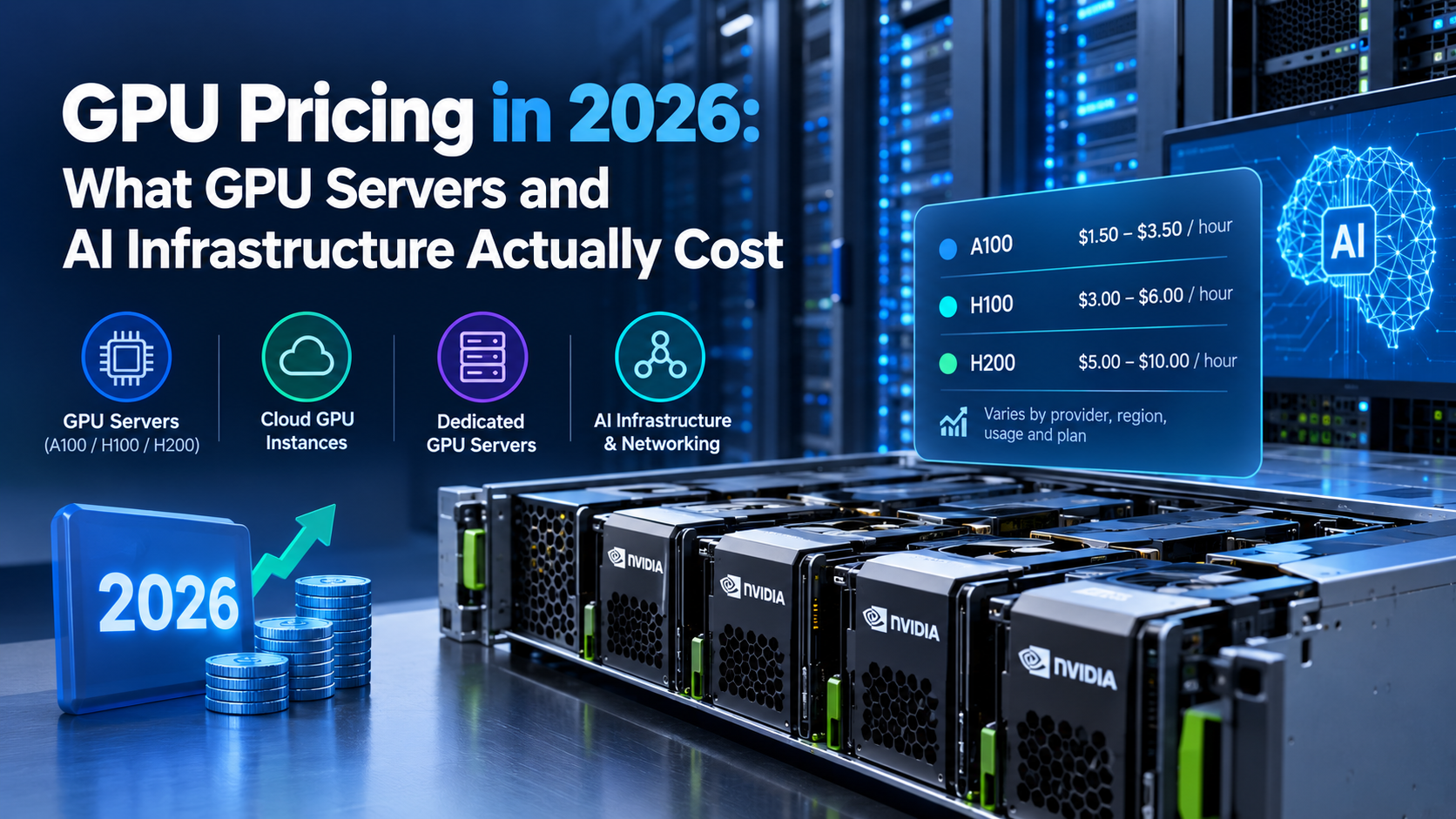
If you’ve searched for GPU pricing recently, you’ve probably seen a long list of different numbers — $0.65 per hour here, $3.39 per hour there, and “starting at” prices that sometimes turn into a sales call.
However, the hourly rate alone doesn’t tell you much. What matters is how much your AI infrastructure will actually cost based on your workload, GPU type, usage time, storage, bandwidth, and billing model.
This guide breaks down GPU pricing in 2026, compares different GPU server options, and explains when cloud GPU rental, dedicated GPU servers, or managed AI APIs make the most sense.
What Does GPU Pricing Mean?
- Generally, GPU pricing is shown as an hourly, monthly, or usage-based rate for access to a graphics processing unit.
GPU model - GPU memory (VRAM)
- Cloud or dedicated infrastructure
- Region and data center
- On-demand or reserved billing
- Spot availability
- Storage and bandwidth
- Number of GPUs required
However, a low hourly price isn’t always the cheapest option. For example, a faster GPU may finish the same workload in less time, which can make its total cost lower.
Do You Actually Need a GPU Server?
Before comparing GPU server prices, first of all, decide whether you actually need GPU infrastructure. Many businesses only need access to AI models, not their own GPU hardware.
Website Owners and eCommerce Businesses
If you’re adding AI product descriptions, chatbots, search, or recommendations to a website, a managed AI API may be enough. You don’t have to manage a GPU server yourself, and you generally pay based on usage. For smaller workloads, this can be easier and cheaper than running your own GPU infrastructure.
Developers and Startups
On the other hand, GPU infrastructure becomes more useful when you’re:
- Fine-tuning an AI model
- Running an open-source model
- Self-hosting an LLM
- Processing large datasets
- Building an AI-first application
- Generating images or video
On the other hand, GPU infrastructure becomes more useful when you’re working on workloads such as:
Agencies
Agencies often have mixed requirements. For example, one client may only need an AI API, while another may need a self-hosted model for privacy or customization. Therefore, a hybrid AI infrastructure setup can work well here.
A Simple Rule for Choosing GPU Infrastructure
If you’re simply calling an existing model through an API, you probably don’t need your own GPU server. However, if you’re training, fine-tuning, or self-hosting a model, GPU compute becomes much more important.
GPU Pricing in 2026: Rates by Hardware Tier
For this reason, the table below highlights GPU server configurations available for different AI and professional workloads..However, the table below highlights GPU server configurations available for different AI and professional workloads.
| GPU Configuration | Best For |
| 2x NVIDIA RTX 6000 Ada Lovelace | AI training, inference, rendering, and professional workloads |
| 2x NVIDIA A40 | AI training, inference, visualization, and machine learning |
| 1x NVIDIA RTX PRO 6000 Blackwell Max-Q | Advanced AI inference, fine-tuning, and professional computing |
| 1x NVIDIA RTX PRO 6000 Blackwell BSE | High-performance AI, inference, and demanding GPU workloads |
| 1x NVIDIA RTX 6000 Ada Lovelace | AI development, inference, rendering, and professional applications |
| 2x NVIDIA RTX 4000 SFF Ada Lovelace | AI development, inference, visualization, and compact GPU workloads |
| 1x NVIDIA A40 | AI inference, machine learning, visualization, and GPU computing |
| 1x RTX A4000 | AI development, rendering, visualization, and general GPU workloads |
| 2x A100 80GB | Large-scale AI training, fine-tuning, and memory-intensive workloads |
| 2x NVIDIA RTX A6000 | AI training, rendering, visualization, and professional workloads |
| 1x GeForce RTX 3090 | AI development, image generation, testing, and inference |
On-Demand GPU Pricing
For example, on-demand GPU servers let you pay for compute only while you’re using it.This model works well for development, testing, short training jobs, temporary workloads, and unpredictable demand. However, the hourly rate is normally higher than committed pricing.
Spot GPU Pricing
In many cases, spot GPU instances use spare capacity and can offer significantly lower prices. They’re useful for workloads that can tolerate interruptions. For example, checkpointed model training can often resume after an interruption.However, spot GPUs are less suitable for production applications that require continuous availability.
Reserved GPU Pricing
In comparison, reserved GPU pricing involves committing to GPU capacity for a longer period. As a result, the effective hourly rate can be lower than on-demand pricing, which makes reserved capacity attractive when GPU usage is predictable.However, committing too early can create unnecessary costs if your workload changes.
Is the Cheapest GPU Always the Best Choice?
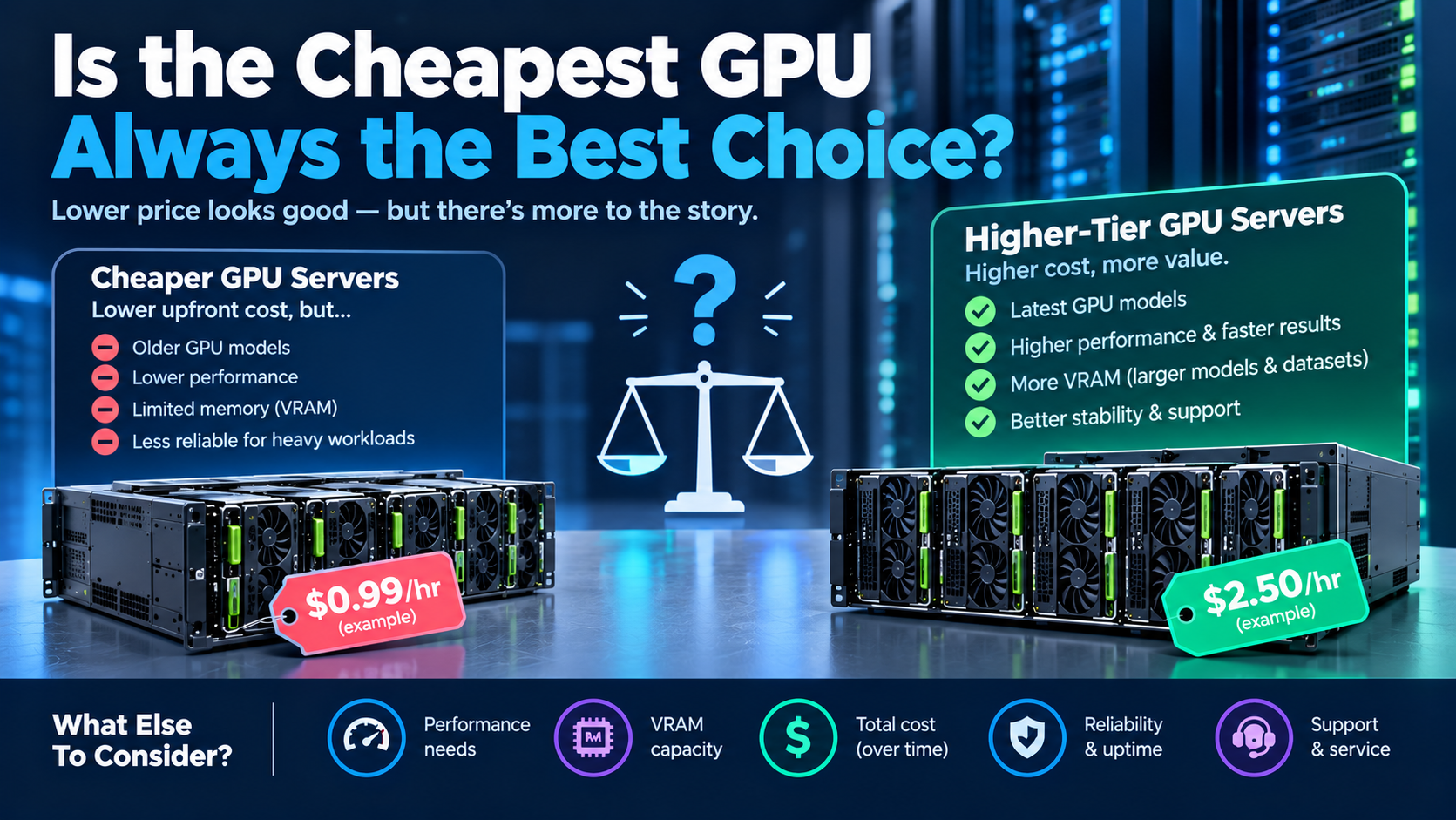
Not necessarily. Suppose one GPU costs $1 per hour but takes 10 hours to complete a job. Another GPU costs $2 per hour but completes the same job in 3 hours. The second GPU costs less overall:
- GPU A: $10 total
- GPU B: $6 total
Therefore, you should compare cost per completed workload, not just the hourly GPU rate.
GPU Server vs. Cloud GPU Rental
Both options provide GPU compute, but the pricing structure is different.
Dedicated GPU Server
In contrast, with a dedicated GPU server, you rent a physical machine with one or more GPUs and normally pay a fixed monthly price.
Advantages include:
- Predictable monthly billing
- Consistent performance
- Dedicated hardware and full server access
- Useful for continuous workloads
However, there are also some disadvantages:
- You pay even when the GPU is idle
- Higher commitment
- Less flexible for temporary workloads
Cloud GPU Rental
By comparison, with cloud GPU rental, you normally rent GPU capacity by the hour or minute
This is useful when workloads come in bursts because you can start a GPU when you need it and shut it down when you’re finished.
Cloud GPU rental works well for AI development, model testing, short training jobs, image generation, temporary inference, and experimental projects.
Managed AI APIs
A managed AI API removes most infrastructure management. You send requests to an existing model and pay based on usage. Therefore, it can be a good choice for businesses that need AI features but don’t need to operate their own model
Ready to buy an NVIDIA A100 GPU? Click here to check our available A100 GPU servers and pricing.
Which AI Infrastructure Option Is Best?
Ultimately, the right option depends on your workload.
| User or Workload | Recommended Option |
| Small website | Managed AI API |
| eCommerce store | API or hybrid setup |
| Solo developer | Cloud or spot GPU |
| AI startup | Cloud GPU or dedicated GPU |
| Agency | Hybrid or dedicated infrastructure |
| Large AI workload | Dedicated or reserved GPU infrastructure |
Ultimately, there isn’t one setup that works for every business.
Hidden GPU Costs to Watch
However, the advertised GPU price isn’t always your final bill.
Bandwidth and Egress
For example, moving large datasets, models, videos, or generated files out of a cloud provider can create additional charges. Therefore, always check the provider’s bandwidth and egress policy.
GPU Idle Time
For this reason, a GPU continues costing money while you’re debugging, waiting for a process, or simply not using it.
Shutting down unused instances can make a noticeable difference.
Storage Costs
In addition, AI models and datasets can require a lot of storage. Multiple model versions and training checkpoints can increase your monthly bill. Therefore, when comparing providers, check both GPU pricing and storage pricing.
Minimum Commitments
Similarly, some reserved GPU plans require a longer commitment. However, a lower hourly price isn’t necessarily better if you’re paying for capacity you don’t use.
Multi-GPU Networking
In addition, large AI workloads may require multiple GPUs.. Fast communication between GPUs becomes important for distributed training. Therefore, a cheaper GPU setup with poor networking can sometimes take longer to finish the same job.
How to Calculate Your Monthly GPU Cost
To begin with, a simple calculation can give you a better estimate:
Monthly GPU cost = hourly GPU price × hours used per month
For example, if an H100 costs $3 per hour:
- 10 hours/day: 300 hours × $3 = $900/month
- 4 hours/day: 120 hours × $3 = $360/month
- 1 hour/day: 30 hours × $3 = $90/month
However, these calculations don’t include storage, bandwidth, or other infrastructure charges. Therefore, your final monthly cost may be higher.
GPU Server: Buy vs. Rent
For many businesses, renting a GPU server avoids the upfront cost of buying hardware.
Buying Can Make Sense When:
- GPU usage is consistently high
- Workloads are predictable
- You can handle maintenance
- You need long-term access
- You already have suitable data-center infrastructure
Renting Usually Makes More Sense When:
- Usage is unpredictable
- You are testing an idea
- You only need temporary GPUs
- You don’t want maintenance responsibilities
- You need to scale quickly
When Does a Dedicated GPU Server Become Cheaper?
In practice, there isn’t one universal break-even point. It depends on GPU model, dedicated server price, cloud hourly rate, monthly usage, storage requirements, bandwidth, support costs, and contract length.
For example, if an on-demand H100 costs $3 per hour and a dedicated option costs $650 per month:
- 120 hours = $360
- 300 hours = $900
At higher and more consistent utilization, the dedicated option becomes more attractive. Therefore, calculate this using your own workload numbers before choosing a plan.
GPU Pricing for Different Users
Different users have different infrastructure needs. As a result, the best GPU pricing model can vary significantly from one business to another.
GPU Pricing for Startups
Therefore, startups with unpredictable demand should usually begin with flexible GPU access. On-demand or spot GPUs let you collect real usage data before making a longer commitment.
Once you know your monthly usage, you can compare reserved and dedicated GPU pricing.
GPU Server Pricing for Agencies
As a result, agencies with recurring client workloads may benefit from dedicated infrastructure.If GPU workloads run every day, predictable monthly billing can be easier to manage than constantly tracking hourly usage.
GPU Pricing for Developers
For example, developers testing a new AI feature usually don’t need a GPU running 24/7. Therefore, cloud and spot GPU access can keep early infrastructure costs low.
Once the project starts generating consistent usage, you can reconsider dedicated GPU infrastructure.
Real-World GPU Pricing Examples
For example, looking at real workloads makes GPU pricing easier to understand. However, actual costs can vary depending on provider, region, hardware availability, and workload efficiency.
AI Product Image Generation
Suppose an eCommerce store generates 500 AI images per day using a Stable Diffusion-class model on an RTX 4090 at around $0.44 per hour. If the workload requires approximately 3.3 hours of GPU time per day:
3.3 × 30 × $0.44 = about $44/month.
Therefore, at this usage level, flexible GPU access may make more sense than maintaining a dedicated GPU server.
Self-Hosted AI Chatbot
Suppose an agency runs an AI chatbot continuously on an L4 at around $0.90 per hour. At 24 hours per day:
720 × $0.90 = about $648/month.
Consequently, at this point, it’s worth comparing cloud GPU rental with dedicated GPU server pricing.
Fine-Tuning a 7B Model
Suppose an A100 costs around $1.80 per hour and your fine-tuning job takes 40 hours:
40 × $1.80 = $72.
Moreover, a checkpointed training job could potentially use discounted spot capacity to reduce the compute cost further.
Testing an AI Feature
A developer using an RTX 5090 for eight hours at $0.65 per hour would spend:
8 × $0.65 = $5.20.
Therefore, for this type of workload, paying for a dedicated GPU server would usually make little financial sense.
How to Choose a GPU Hosting Provider
Most importantly, price is important, but it shouldn’t be the only factor. A good GPU hosting provider should offer hardware that actually fits your workload.
Check GPU VRAM
In particular, VRAM is one of the most important specifications to check. A GPU with a low hourly rate isn’t useful if your model can’t fit into its available memory.
For example, a large 70B-parameter quantized model may require 48GB or more of VRAM depending on the quantization method and workload. Smaller image-generation models may work comfortably with much less VRAM.
Compare GPU Performance
Therefore, don’t compare GPUs only by price.. Instead, look at VRAM, memory bandwidth, compute performance, inference speed, training performance, and multi-GPU support.
Because of this, a faster GPU may provide better value even when its hourly rate is higher.
Check Data Center Locations
For customer-facing AI applications, server location also matters. A GPU server located far from your users can increase network latency.
For internal training jobs, however, location may matter less.
Review Security and Compliance
If your AI infrastructure handles customer or regulated data, check data-center location, security controls, access controls, compliance certifications, data retention policies, and backup policies.
Compare Billing Options
Look for providers that support the billing model your workload needs — hourly, monthly, reserved, spot pricing, or long-term contracts.
Flexible billing is particularly useful while you’re still measuring demand.
Check Bandwidth and Storage
Don’t focus only on GPU pricing. Check how much storage is included and whether bandwidth or egress charges apply.
As a result, large datasets and AI-generated media can make these costs particularly important.
Test the Hardware First
If possible, start with a short-term GPU plan. Testing your actual workload gives you better information than comparing specifications on paper.
Finally, run your model, measure performance, and calculate the actual cost per task. In practice, this gives you a much clearer picture of the value you’re getting.
How GPU Pricing Is Changing in 2026
Meanwhile, GPU pricing continues to change as new hardware becomes available. Several factors affect the market, including new GPU generations, data-center capacity, AI demand, regional availability, hardware supply, export restrictions, and spot-market demand.
Newer Blackwell-class GPUs are adding more compute capacity, while older hardware can become more affordable as providers update their infrastructure.
Spot pricing can change even faster because it depends on available capacity and current demand. For this reason, published GPU pricing should be treated as a current snapshot rather than a permanent price.
Always check the provider’s latest rates before building your AI infrastructure budget.
How Much Does AI Infrastructure Cost?
Ultimately, there is no single price for AI infrastructure. A small developer project might spend only a few dollars per month on GPU compute, while a continuously running production AI application can spend hundreds or thousands of dollars per month.
In addition, your total cost depends on GPU type, VRAM requirements, usage hours, number of GPUs, storage, bandwidth, networking, support, and availability requirements.
Therefore, calculating the complete infrastructure cost is more useful than comparing GPU hourly rates alone.
Frequently Asked Questions About GPU Pricing
What Is the Cheapest GPU Pricing Option?
For short workloads, spot instances using consumer GPUs such as the RTX 3090 or RTX 4090 can be among the cheapest options.
Nevertheless, availability and interruption risk should also be considered. The lowest hourly price isn’t always the lowest total cost.
Do I Need a GPU Server for AI Features on My Website?
Usually, no. Features such as chatbots, product descriptions, AI search, and recommendations can often be powered through a managed AI API.
A GPU server becomes more useful when you need to self-host or fine-tune models.
What Is the Difference Between On-Demand, Spot, and Reserved GPUs?
- On-demand: Flexible pay-as-you-go access.
- Spot: Lower-cost access to spare capacity, but the instance may be interrupted.
- Reserved: Lower effective pricing in exchange for longer commitment.
How Much Does It Cost to Fine-Tune an AI Model?
It depends on model size, GPU, dataset, training time, and number of training runs.
A small-to-mid-sized 7B model can cost anywhere from tens to a few hundred dollars in raw GPU compute for a relatively short fine-tuning project. Larger models require considerably more compute.
Is Cloud GPU Rental Cheaper Than Buying Hardware?
For many startups and small businesses, cloud GPU rental is easier because it avoids upfront hardware investment and maintenance costs.
On the other hand, buying hardware can become more economical when GPU utilization stays consistently high for a long period.
Is a Dedicated GPU Server Worth It?
A dedicated GPU server can be worth it when your workload is stable and the GPU will be used frequently. For occasional workloads, hourly or spot GPU access is usually more flexible.
How Much VRAM Do I Need for AI?
It depends on the model and workload. Small AI models may run on GPUs with relatively low VRAM, while large language models and complex training workloads can require 48GB, 80GB, or more.
For this reason, always check the model’s actual memory requirements before selecting a GPU.
Final Thoughts on GPU Pricing and AI Infrastructure
Ultimately, there isn’t one GPU pricing model that works for every workload. The right choice depends on how much compute you need, how frequently you use it, how much VRAM your models require, and how predictable your workload is.
For occasional development and short AI jobs, on-demand or spot GPUs can keep costs low. On the other hand, for consistent workloads, a dedicated GPU server may provide better value and more predictable monthly billing.
For businesses that only need AI features rather than their own models, a managed API may eliminate the need for GPU infrastructure altogether.
Ultimately, start with your actual workload: calculate the total cost, compare GPU performance, check storage and bandwidth charges, and choose the infrastructure that gives you the best performance per dollar.